Industry · Fitness studios
Follow up with every trial and lapsed member, even on a full timetable
Fitness studios can use AI agents to reply to trial class enquiries, draft win-back messages for lapsed members, plan promotions for new classes, and check local search visibility. In Brainwrite, specialist bots draft each message from your email, booking tool, and member spreadsheet. You approve every message before a member or prospect sees it.
Fitness studios · example team
 NovaChief of Staff
 AtlasSable, Local On-Page SEO Specialist
 SageRadar, Citation & Maps Intelligence
 DashMaya, Growth Lead
 PennyEcho, Creative and Copy Lead
Brief your Chief of Staff. It picks the specialists and runs the team.
Where the week goes
The work that eats your time.
Trial enquiries that cool off
Someone asks about a first class, waits a day for a reply, and signs up somewhere closer.
Members who quietly stop coming
Attendance drops for weeks before a cancellation. Nobody has time to check in.
Promoting new classes
A new timetable needs emails, posts, and a flyer, made by instructors between sessions.
The same questions
Pricing, parking, what to bring, and how to freeze a membership, answered one message at a time.
Start here
The first job to hand off.
Win-back drafts for lapsed members
Export members with no visit in the last month to Google Sheets. A weekly routine drafts a short, personal check-in for each from their history, which you approve before it sends.


Audit our plumbing company site for local SEO. We have 12 location pages; check whether any of them look like doorway pages, and confirm our phone number and address match everywhere.
Your Chief of Staff put a team on it
 Atlas· Sable, Local On-Page SEO Specialist
 Sage· Radar, Citation & Maps Intelligence
- Detected: service-area business, home services vertical
- Doorway risk: 5 of 12 location pages read the same with the city name swapped
- NAP mismatch: footer phone differs from the phone in LocalBusiness schema
- 11 same-category businesses mapped within the service area from OpenStreetMap
DoneWhich listings and pages to correct waits for you. Nothing was sent.
What the team takes on
Jobs your AI team does every week.

Trial enquiry replies
Sort new enquiries and draft a reply with the next suitable classes from your timetable.

Class launch campaigns
The Launch a Measurable Campaign team turns a new class into one message, assets for each channel, and a date to review sign-ups.

Promotional graphics
Fill your Canva brand template with the new timetable and resize it for each channel, for you to check.

Local search visibility
The Local SEO team checks your site, Business Profile signals, and listings, and maps nearby studios from public data.
Weekly numbers
Draft a summary of bookings, sign-ups, and cancellations from Square and your sheets, in the same format each week.
Why a team
Why this works better than a chatbot.
Approval before members hear from you
In Ask mode, sending an email or WhatsApp message becomes an approval card. You read the draft and approve or deny it.
Grants scoped to the job
The win-back bot gets email and the member sheet, not your payments. Each grant is all tools, an exact list, or none.
Routines with receipts
Run check-ins on chosen weekdays. Every run records whether it completed, failed, or was missed.
Member data stays local
Chats, files, and memory stay on your Mac. Text goes only to the AI provider and apps you choose.
In detail
See the jobs step by step.






See it in the app
What it looks like in Brainwrite.
A real screenshot from a demo workspace.
Start faster
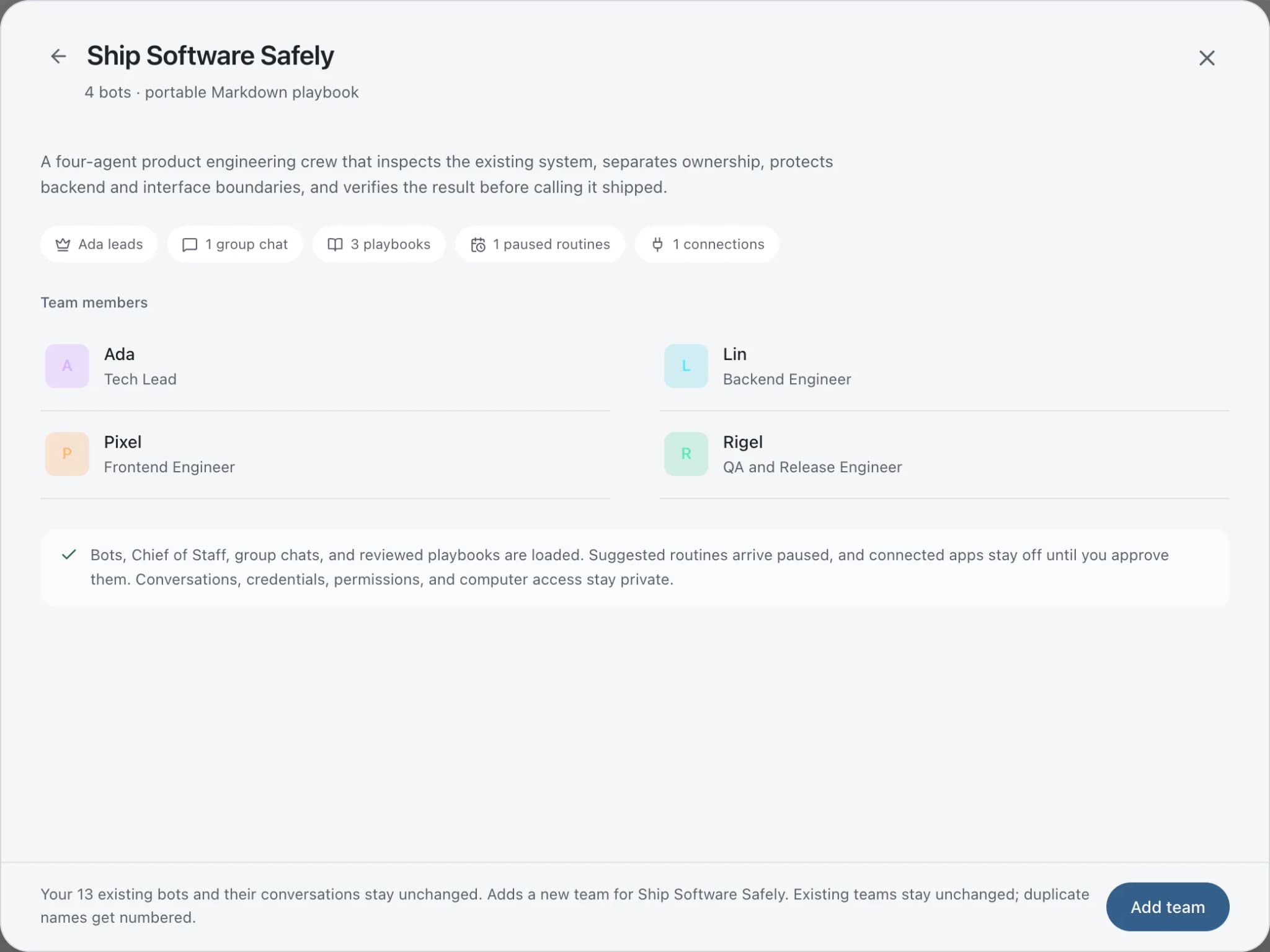
Ready-made teams to start from.
Your tools
Apps your team works in.

Square
Read Square payments and orders, tidy customer records, check bookings, and prepare refunds for approval.

Mailchimp
Bots draft Mailchimp campaigns, manage tags and segments, and read reports. Sends and schedules wait for you.

WhatsApp
Bots send WhatsApp Business messages and templates, and manage templates and media. Sends wait for you.

Google Sheets
Bots read and write Google Sheets, append and upsert rows, and add charts to trackers and reports.

Canva
Create Canva designs, fill brand templates with copy, resize for each channel, and export finished files.
FAQ
Questions about Brainwrite for fitness studios
How can a gym or fitness studio use AI agents?
Use them on member follow-up and promotion: replying to trial enquiries, checking in with lapsed members, planning class launches, preparing graphics from your Canva templates, and checking local search. Brainwrite runs bots on your Mac that draft from your email, booking tool, and member sheet. You approve every message before it is sent.
Does Brainwrite connect to my booking software?
Check the connected apps list for your system. Square, including its bookings, is available as a connected app. If your booking software is not listed, export members and attendance to Google Sheets and let a bot work from that, or add the software as a custom MCP server if its vendor provides one.
Will bots message members automatically?
Not by default. In Ask mode, sending an email or WhatsApp message becomes an approval card, so every check-in waits for you. You can widen permissions per thread with Full Access, but most studios keep approval on for anything a member will read.
Related
Related industries.
Restaurants
Review replies, event and catering enquiries, menu posts, and local search checks, drafted while you run service.

Local businesses
Local SEO checks, customer reply drafts, quote follow-ups, and competitor watch for businesses that serve a local area.
Course creators
Launch plans, email sequences, student reply drafts, and repurposed lessons, with you approving every send.
Give your first job to Brainwrite.
Download the app, connect the AI you already pay for, and tell your Chief of Staff what needs doing.
macOS today. Windows and Linux are coming soon.