Teams and agents
Keep work apart, or put the whole team in one room
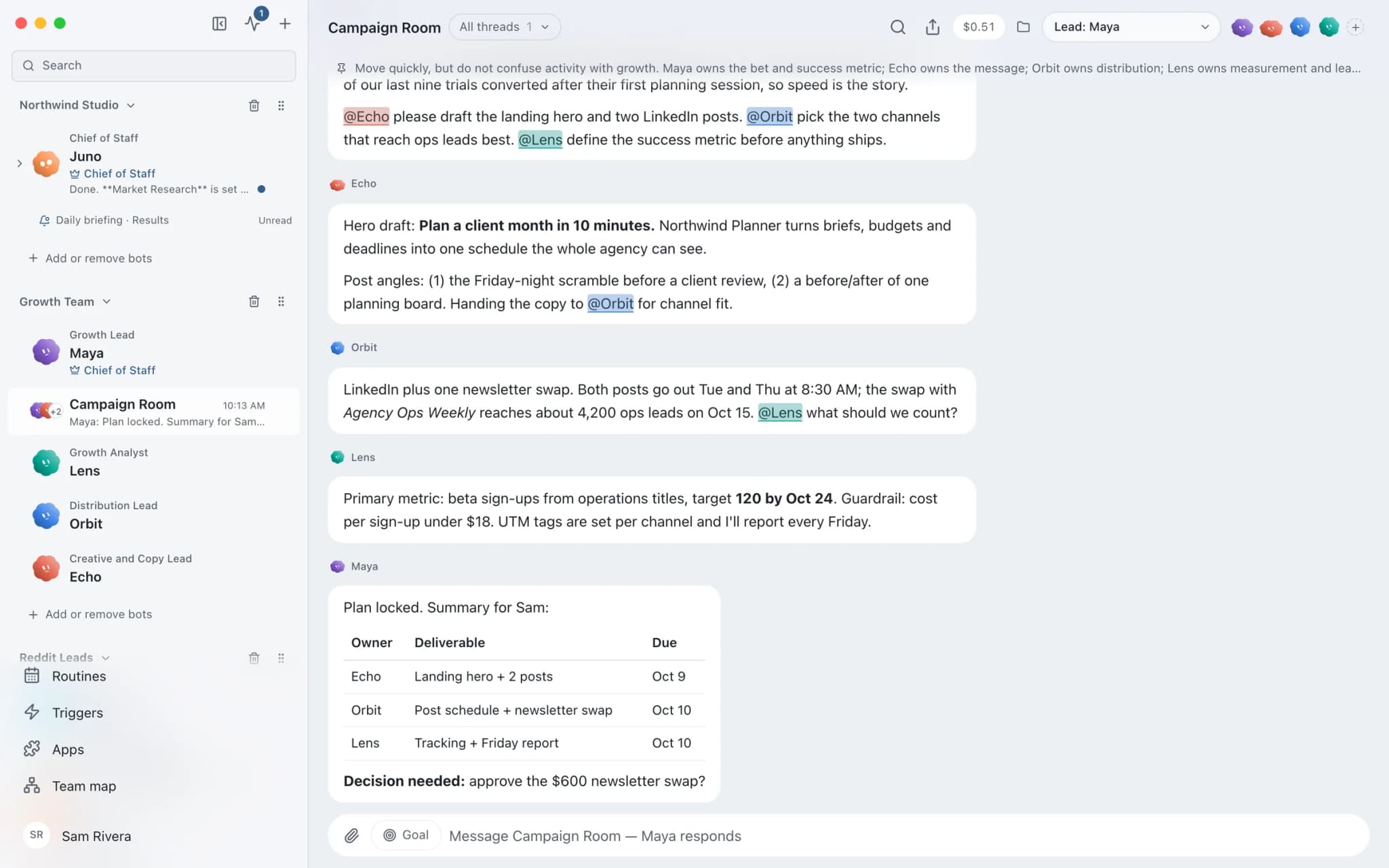
Threads in Brainwrite are independent conversations with one bot, each with its own transcript, model, approvals, costs and Stop control, and up to three can run per bot at once. Groups bring several bots into one conversation so specialists share a brief and hand work to each other. Folders keep related threads together without changing their settings.


Writer, Designer and Analyst: review the Northwind Studio launch page and agree on three fixes.
Your Chief of Staff put a team on it
 Atlas· Maya, Growth Lead
 Sage· Echo, Creative and Copy Lead
 Dash· Orbit, Distribution Lead
 Penny· Lens, Growth Analyst
- Writer: the headline promises a feature that ships next month. Rewrite attached.
- Designer: the pricing table breaks on narrow screens. Screenshot attached.
- Analyst: two calls to action compete above the fold. Keep one.
- Agreed: 1 rewrite, 1 layout fix, 1 button change.
DoneDone. Nothing was sent.


Launch review in a group: done. Nothing sent.
- 1Writer: the headline promises a feature that ships next month. Rewrite attached.
- 2Designer: the pricing table breaks on narrow screens. Screenshot attached.
- 3Analyst: two calls to action compete above the fold. Keep one.
4 bots on this jobSee it in the app
Threads and groups in Brainwrite.
How it works
How Threads and groups works.
- 01
Start a thread
Expand a bot in the sidebar and choose New thread. Pick the model in the chat header and the approval setting in the composer.
- 02
Run threads side by side
Start another thread while one is working. Stopping or changing one thread does not redirect its siblings.
- 03
Queue and steer
Messages sent to a busy thread are queued. Supported engines can be steered while they are still working.
- 04
Open a group when bots need the same context
In a group, each member answers with its own model and permissions. Group timeouts stop one member from blocking the rest.
- 05
Organise
Put threads into folders such as Email or Reports, pin the important ones, and use All threads to find older work.
Good to know
The details.
Shared memory, separate transcripts
All of a bot's threads share its saved memory and skills. They do not automatically receive each other's transcripts.
Folders are only organisation
Folders have no model or permission settings. Moving a thread does not change its model, account or access, and does not interrupt it.
Pinned threads
Pin a thread from its … menu. Pinned threads from every bot and group appear together between search and your bots.
Rewind and branch
Editing an earlier message creates a new path. Brainwrite does not resume the abandoned provider session, so the next turn follows the branch you can see.
One request to many bots
When a bot sends the same request to several group members, the group shows one shared message addressed to them, and each can reply.
Delegation
A bot can hand a bounded subtask to another bot. The result returns to the original conversation as completed, failed or cancelled.
The edges, plainly
- Up to three direct threads can run per bot at once, including threads waiting for your approval.
- Two agents cannot change the same computer, browser session or project folder at once. Brainwrite reports the conflict instead of letting them overlap.
- Folders are not privacy boundaries or separate accounts.
Use cases
Jobs this feature does for you.





Works with
Apps it's often used with.

Slack
Bots search Slack, summarise channels and threads, and post or schedule updates once you approve.

Notion
Bots search Notion, read and write pages, query databases, and add or update rows and comments.

Linear
File clean Linear issues from bug reports, catch duplicates, review the current cycle, and draft project updates.

GitHub
Triage GitHub issues, review pull requests, read failing workflow logs, and draft release notes. Merges wait for you.
FAQ
Questions about Threads and groups
Can I run multiple AI agents at the same time?
Yes. Each bot can run up to three threads at once, and different bots run independently with their own models and folders. A thread waiting for your approval counts toward the three. Shared resources are the exception: two agents cannot change the same computer or project folder at the same moment.
What is the difference between a thread and a group chat?
A thread is one conversation with one bot, with its own transcript, model, approvals and costs. A group brings several bots into one conversation so they share the same brief and can hand work to each other. Each group member still runs with its own model and permissions.
Can AI agents talk to each other?
Yes, in two ways. In a group, several bots share one conversation and can pass work between them. With delegation, one bot asks another to handle a bounded subtask, and the result comes back to the original conversation marked completed, failed or cancelled.
Can I change the AI model in the middle of a conversation?
Yes. Each thread remembers its own model, chosen in the chat header. A change affects future turns and does not rewrite earlier history. Other threads with the same bot keep their own models, so one bot can use different models for different jobs.
Works well with
Related features.

Chief of Staff
One bot takes your request, hands focused tasks to specialists, and returns a single summary.

Memory
Plain-text memory per bot that you can read, fix and delete. No hidden profile.

Usage and cost
Per-thread tokens and cost, split into uncached input, cached input and output.

Approvals
Risky actions become cards you approve or deny in the conversation. Ask or Full Access per thread.





Give your first job to Brainwrite.
Download the app, connect the AI you already pay for, and tell your Chief of Staff what needs doing.
macOS today. Windows and Linux are coming soon.