Use case · Operations
Get the weekly report written from what actually happened
To write a weekly report with AI agents, set a Friday routine on your Brainwrite Chief of Staff. It delegates the gathering: one bot reads closed issues and merged pull requests, another reads pipeline changes and key numbers. The Chief writes one report in your format, posts it to a dedicated results thread, and drafts the Slack update for you to approve.


Every Friday at 16:00, write our weekly report: what shipped from Linear and GitHub, what slipped and why, pipeline changes in HubSpot, and the numbers from our metrics sheet. Post it to the Weekly reports thread and draft a Slack message for the team channel. Ask before posting.
Your Chief of Staff put a team on it
 Nova· Chief of Staff
 Atlas· Delivery tracker
 Penny· Numbers bot
- Shipped: 14 issues closed, 9 pull requests merged (links attached)
- Slipped: CSV export moved to next week, blocked on review
- Pipeline: 3 deals moved to Proposal, 1 closed won (source: HubSpot)
- Numbers: weekly active teams from the metrics sheet, with last week's figure for comparison
DoneSaved as a routine: Fridays at 16:00. It starts paused until you turn it on.


Weekly report: done. Nothing sent.
- 1Shipped: 14 issues closed, 9 pull requests merged (links attached)
- 2Slipped: CSV export moved to next week, blocked on review
- 3Pipeline: 3 deals moved to Proposal, 1 closed won (source: HubSpot)

 3 bots on this job
The job
Doing it yourself, and handing it off.
Doing it yourself
On Friday afternoon you rebuild the week from memory. You scroll the issue tracker for what closed, the repository for what merged, the CRM for deals that moved, and a spreadsheet for the numbers. Then you write it up in a format slightly different from last week's, paste it into Slack, and realise you left out the thing that slipped. The report takes an hour and still misses things.
What the team does
- Collect closed issues and merged pull requests for the week
- List work that slipped, with the issue links
- Read pipeline and metric changes from the CRM and your sheet
- Write the report in your saved format and draft the Slack post
What waits for you
- What the report says about misses and risks
- Whether, and where, it is posted
See it in the app
What it looks like in Brainwrite.
A real screenshot from a demo workspace.
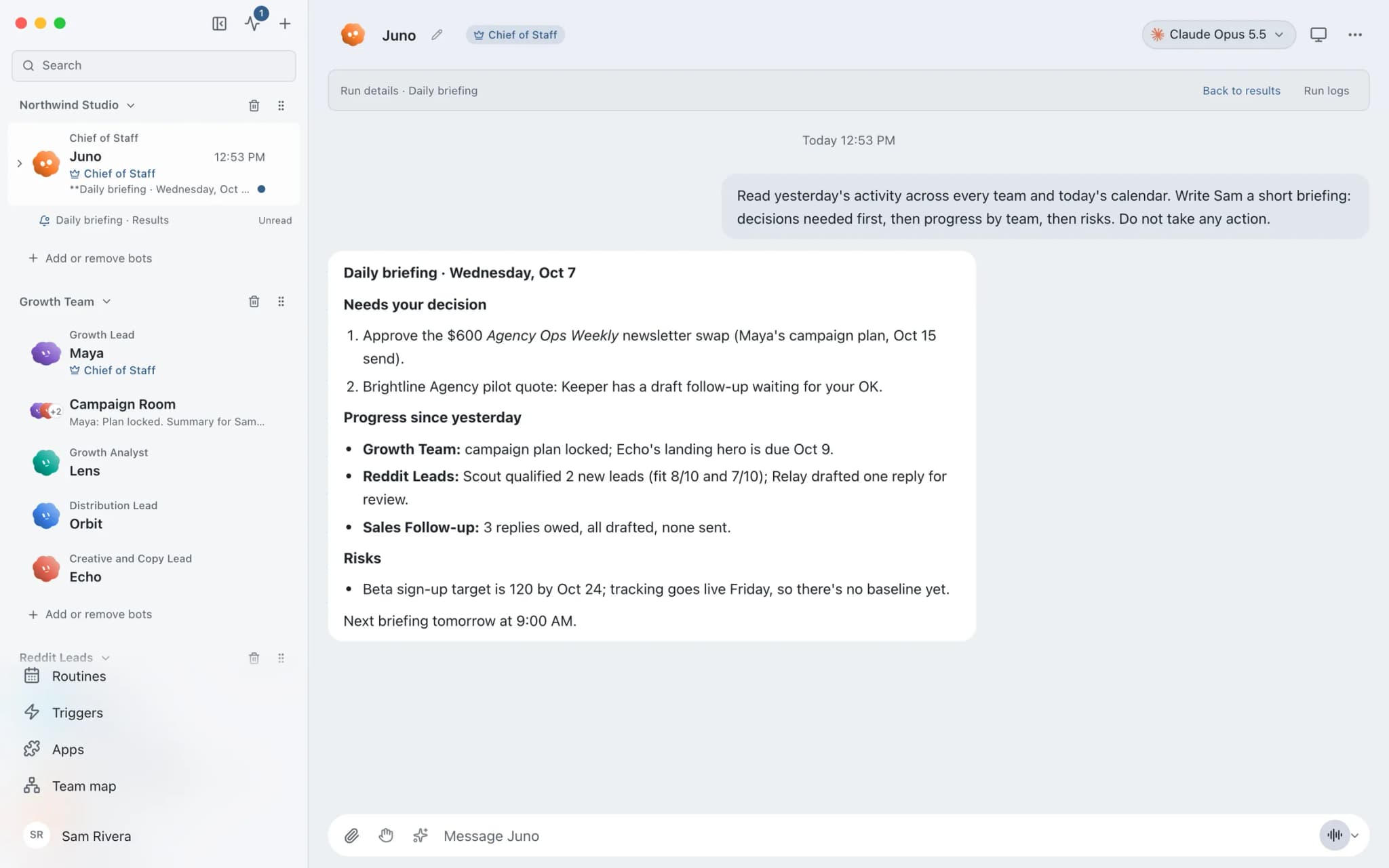
The team
Who's on it.
Your Chief of Staff picks the specialists the job needs. Each has its own role, instructions, model, and app access.
- NovaIllustrated example
Chief of Staff
Runs the Friday routine, keeps the format, delegates the gathering, and writes the final report.
 AtlasIllustrated example
Delivery tracker
Reads closed issues, merged pull requests, and what slipped in Linear and GitHub.
 PennyIllustrated example
Numbers bot
Reads pipeline changes in the CRM and your metrics sheet, and notes week-over-week changes with their source.
How it runs
A run, step by step.
- 01
Connect the sources
Connect Linear or Jira, GitHub, your CRM, and Google Sheets. Grant read tools to the bots that gather.
- 02
Set the format once
Give the Chief your report sections. It saves them in memory you can read and edit.
- 03
Friday routine
Each run starts fresh, delegates the gathering, and posts the dated report to one results thread.
- 04
Approve the post
The Chief drafts the Slack message, and posting waits for your approval.
What you'll connect
Apps this job uses.

Linear
File clean Linear issues from bug reports, catch duplicates, review the current cycle, and draft project updates.

GitHub
Triage GitHub issues, review pull requests, read failing workflow logs, and draft release notes. Merges wait for you.

Slack
Bots search Slack, summarise channels and threads, and post or schedule updates once you approve.

Google Sheets
Bots read and write Google Sheets, append and upsert rows, and add charts to trackers and reports.
FAQ
Questions about Weekly report
Where do the numbers in the report come from?
Only from the apps and sheets you connect and grant to the bots. Tell the Chief to cite the source of each figure and to mark anything it could not find, and save that rule in its memory so every Friday run follows it.
Can I keep all the reports in one place?
Yes. In the routine's editor, use Post results to and choose Create a dedicated results thread. Each run's report lands there, dated, while the working conversations stay out of the sidebar. You can move the thread into a folder such as Reports, and Run logs keeps the full history, including failed runs.
What if the Friday run fails?
Run receipts show whether each run was queued, active, waiting, completed, missed, failed, or cancelled, and Open run shows the run's conversation and any approval it is waiting on. If Brainwrite was not running when a local routine became due, it did not run; Brainwrite Cloud runs routines around the clock.
Built on
Features this job relies on.
Chief of Staff
One bot takes your request, hands focused tasks to specialists, and returns a single summary.
Routines
Run a bot's task once, on an interval, or on chosen weekdays, with a receipt for every run.
Threads and groups
Up to three independent threads per bot, plus group chats where several bots share one brief.
Memory
Plain-text memory per bot that you can read, fix and delete. No hidden profile.








Give your first job to Brainwrite.
Download the app, connect the AI you already pay for, and tell your Chief of Staff what needs doing.
macOS today. Windows and Linux are coming soon.