How it works
Brief one bot. Get a whole team.
Brainwrite runs a team of AI agents on your Mac. You brief a Chief of Staff, it proposes the specialists, they do the work in your apps, and anything that sends, posts, or changes data waits for your yes.
An example team
 NovaChief of Staff
 AtlasResearch
 SageWriter
 DashOperations
 PennyNumbers
Brief your Chief of Staff. It picks the specialists and runs the team.
Five steps
From a sentence to a finished job.


Got it. I'll put a team on it. You'll see who before anyone starts.
Step 1
Give the brief
Tell your Chief of Staff what you want in plain words, with the limits that matter: who it is for, what to leave alone, when you need it. No forms and no setup per job.
Step 2
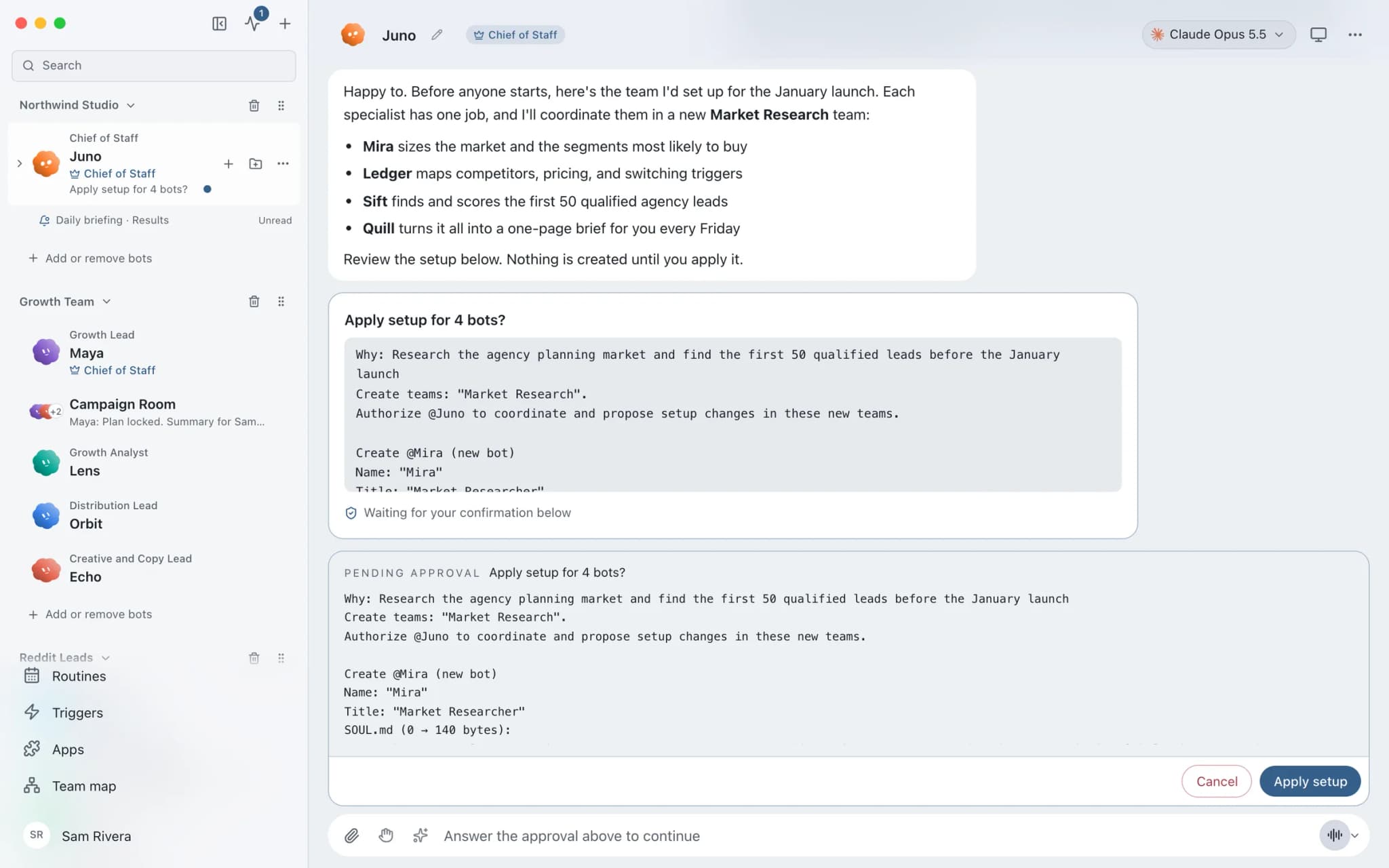
Review the proposed team
Your Chief of Staff proposes the specialists the job needs, each with a role, instructions, and the apps it may use. In Ask mode nothing changes until you choose Apply setup.

Overnight: 14 order questions answered as drafts, 3 listings refreshed. Nothing sent yet.


 Shop desk2 bots
Step 3
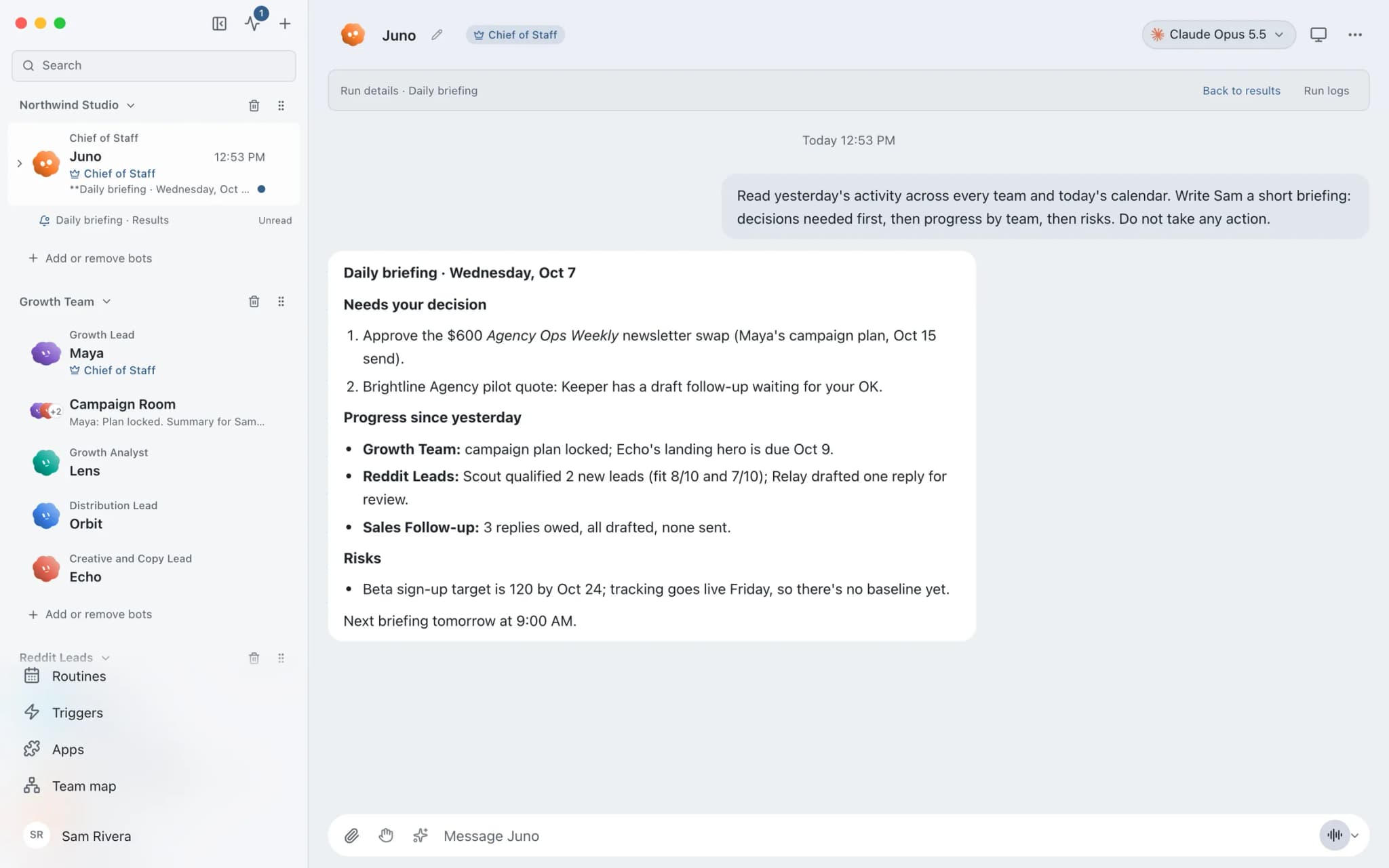
Watch the work, approve what matters
Open any bot and watch it work. Sending, posting, file writes, and shell commands become approval cards in the conversation: approve, always allow that one request, or deny and the bot looks for a safer path.
Step 4
Put it on a schedule
Turn the job into a routine that runs once, at an interval, or on chosen weekdays. Each run starts fresh, keeps a receipt, and can post its report to one results thread.

Step 5
Keep the result and what it learned
Results stay in the conversation and on your Mac. Each bot keeps plain-text memory you can read, correct, or delete, so next week's run starts from what this one learned.
See it in the app
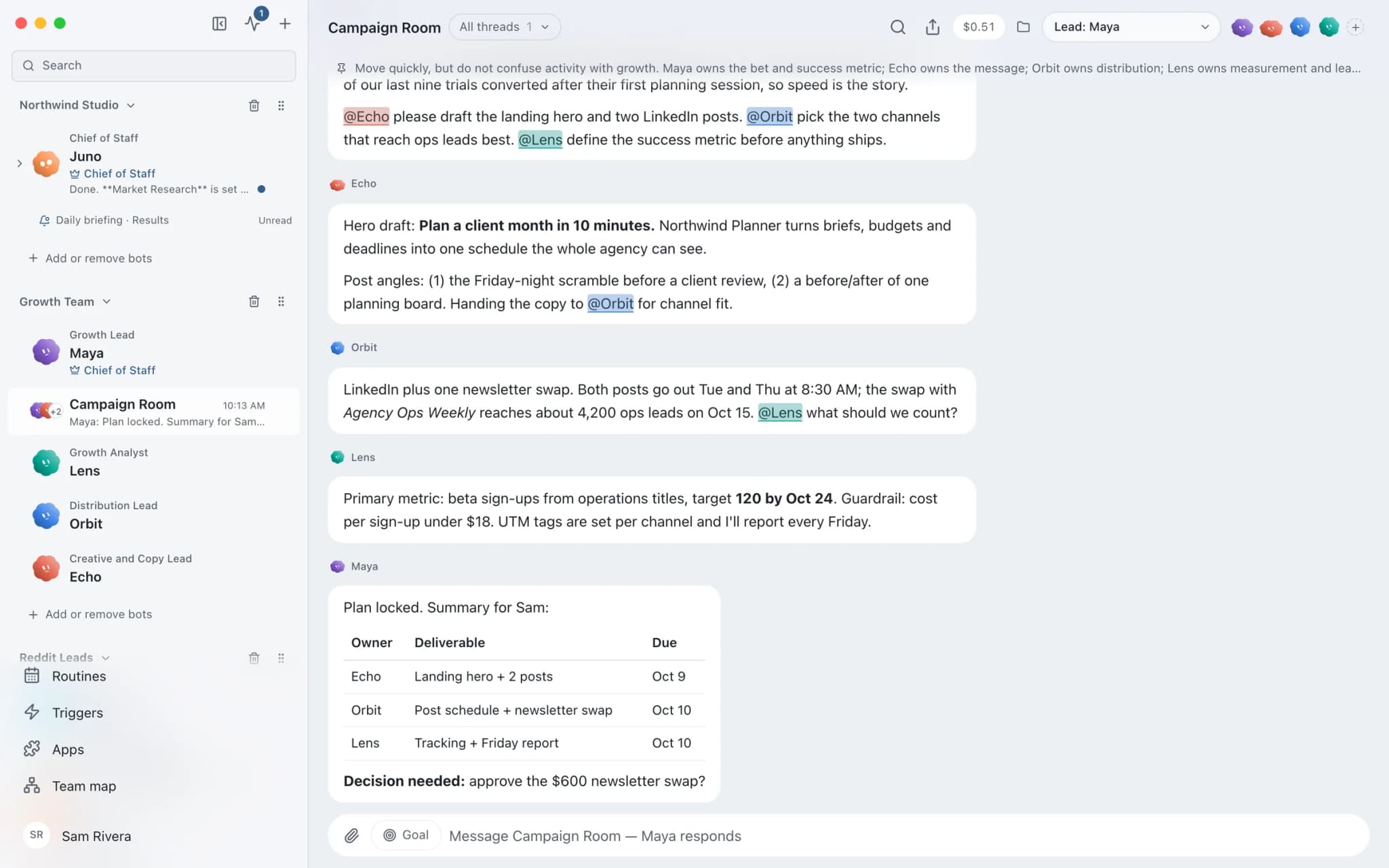
A team working in one room.
A real screenshot from a demo workspace: a lead bot assigns the work, specialists hand off to each other, and one decision waits for the person.
Engines
Runs on the AI you already pay for.
Brainwrite starts the agent tools you already use, such as Claude, Codex, Grok, Cursor, and local models, and runs each one as a bot’s engine. Pick one per bot and per thread; switching engines keeps the bot’s memory.
Bring your own model →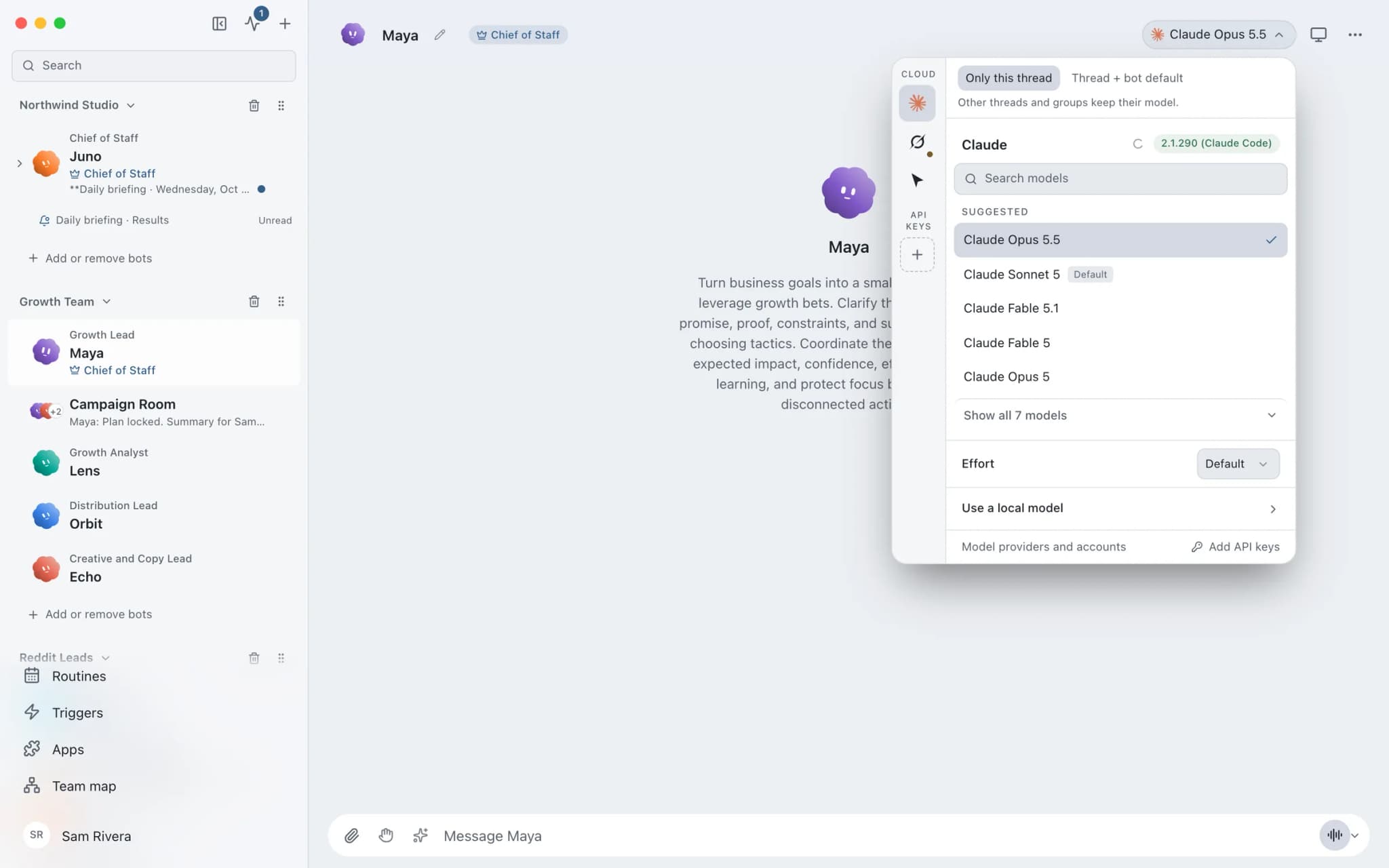
FAQ
Questions about how it works
How does Brainwrite work?
You brief a Chief of Staff bot in plain words. It proposes a team of specialist bots, hands each one a focused task, and brings the results back to one thread. Anything that sends, posts, or changes data waits for your approval in Ask mode, and any job can become a routine on a schedule.
Do I have to set up every bot myself?
No. The Chief of Staff proposes the team for a job, or you add a ready-made team from the team library at teams.brainwrite.in. You see the setup before it is applied, and you can edit any bot's role, instructions, model, and app access later.
Which AI does the work?
The AI you already use. Brainwrite runs Claude, Codex, Grok, Cursor, local models, and more as engines, and you pick one per bot and per thread. Your provider bills that usage under your existing plan.
Does it keep working when my Mac is closed?
Local routines need the Brainwrite app running. Brainwrite Cloud gives your bots their own Cloud computer, so routines keep running when your Mac is asleep or closed.
Give your first job to Brainwrite.
Download the app, connect the AI you already pay for, and tell your Chief of Staff what needs doing.
macOS today. Windows and Linux are coming soon.