Industry · Local businesses
Show up in local search and answer customers while you run the business
Local businesses can use AI agents to check their Business Profile and listings, draft replies to customer messages, follow up on quotes, and watch nearby competitors. In Brainwrite, a Chief of Staff bot passes each job to a specialist bot, and you approve replies and changes before they go out. It runs on your Mac.
Local businesses · example team
 NovaChief of Staff
 AtlasSable, Local On-Page SEO Specialist
 SageRadar, Citation & Maps Intelligence
 DashKeeper, Sales Operations Analyst
 PennyNudge, Follow-up Writer
Brief your Chief of Staff. It picks the specialists and runs the team.


A local SEO audit: ready for you. Nothing sent.
- 1Review health
- 2Quote follow-ups
- 3Customer reply drafts


 Local businesses team4 bots
Where the week goes
The work that eats your time.
Inconsistent listings
Your name, address, and phone number differ across directories, and the map results suffer for it.
Messages everywhere
Customers write by email, WhatsApp, and web form. Replies wait until the end of the day.
Quotes nobody chases
You send a quote, the customer goes quiet, and there is no time to follow up.
Reviews
New reviews need a reply, and patterns in them need noticing, but both slip.
Start here
The first job to hand off.
A local SEO audit
The Local SEO team scores your site, Business Profile signals, reviews, and listing consistency using free public data, then maps nearby competitors. You get a prioritised list of fixes.


Audit our plumbing company site for local SEO. We have 12 location pages; check whether any of them look like doorway pages, and confirm our phone number and address match everywhere.
Your Chief of Staff put a team on it
- Atlas· Sable, Local On-Page SEO Specialist
- Sage· Radar, Citation & Maps Intelligence
- Detected: service-area business, home services vertical
- Doorway risk: 5 of 12 location pages read the same with the city name swapped
- NAP mismatch: footer phone differs from the phone in LocalBusiness schema
- 11 same-category businesses mapped within the service area from OpenStreetMap
DoneWhich listings and pages to correct waits for you. Nothing was sent.
What the team takes on
Jobs your AI team does every week.

Review health
Assess your review profile, spot recurring complaints, and draft replies for you to post.

Quote follow-ups
Find quotes where the customer went quiet and draft a short, specific follow-up. Nothing sends automatically.

Customer reply drafts
Draft answers to common questions about hours, pricing, and bookings for you to check and send.

Nearby competitor watch
Watch the competitor pages you choose and get a short brief when prices or offers change.
A morning brief
Start the day with one summary of bookings, messages waiting on you, and anything urgent.
Why a team
Why this works better than a chatbot.
Ready-made local SEO team
The Local SEO team installs from the team library with playbooks for audits, schema, reviews, and listings.
You approve replies
In Ask mode, risky actions such as sending a message become approval cards. Nothing goes to a customer unseen.
Honest about schedules
Local routines need your Mac awake with Brainwrite running. Brainwrite Cloud runs them 24/7 on an always-on cloud computer.
Bring your own AI
Use an AI account you already have, such as Claude or Codex. Your provider bills usage, and each thread shows its cost.
In detail
See the jobs step by step.





See it in the app
What it looks like in Brainwrite.
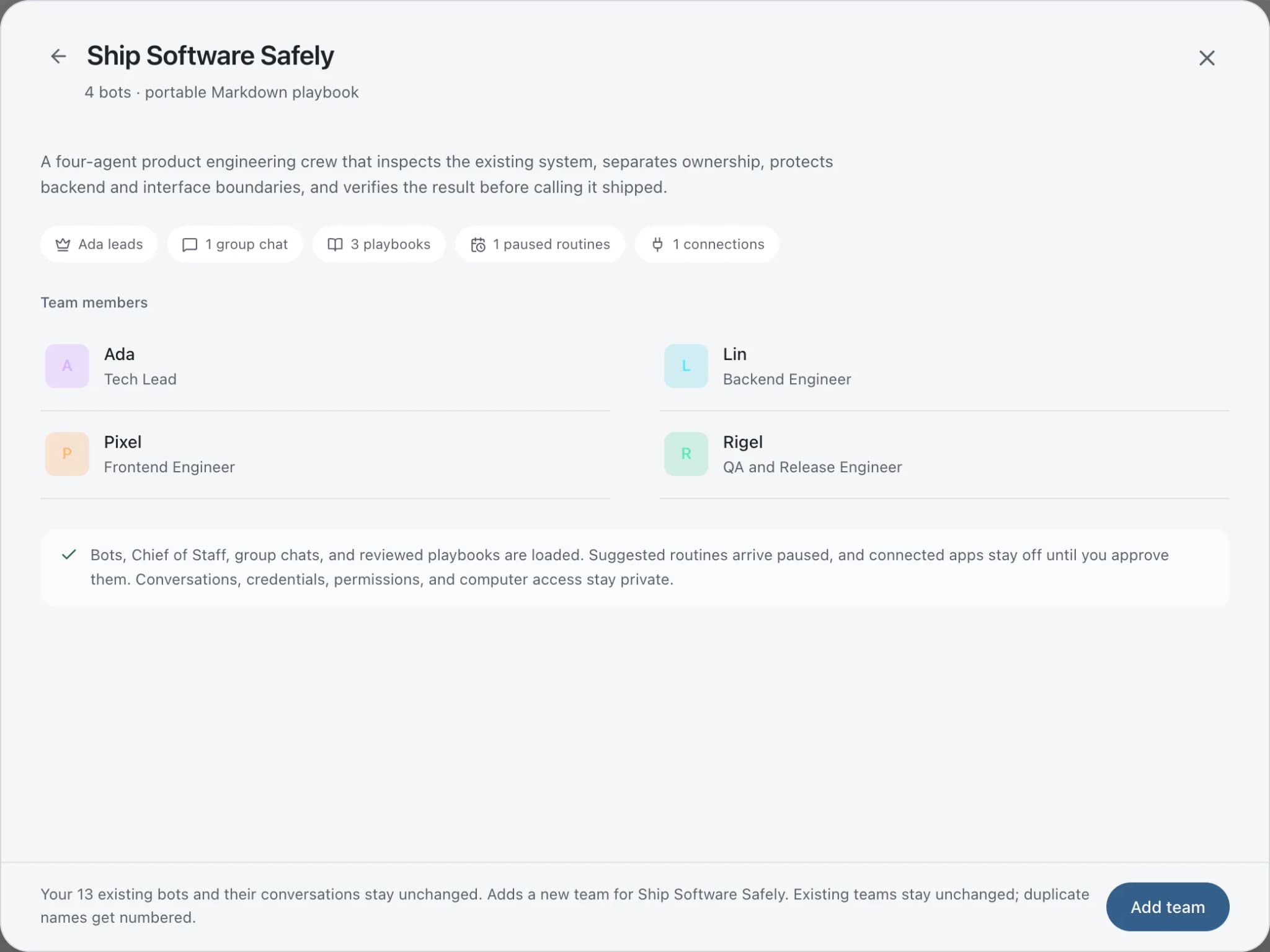
A real screenshot from a demo workspace.
Start faster
Ready-made teams to start from.
Your tools
Apps your team works in.

Gmail
Bots search, label, and read Gmail threads and draft replies in place. Sending waits for your approval.

WhatsApp
Bots send WhatsApp Business messages and templates, and manage templates and media. Sends wait for you.

Google Calendar
Bots read your Google Calendar, find free slots, and create or move events. Invites wait for your approval.

Square
Read Square payments and orders, tidy customer records, check bookings, and prepare refunds for approval.

Google Sheets
Bots read and write Google Sheets, append and upsert rows, and add charts to trackers and reports.
FAQ
Questions about Brainwrite for local businesses
How can a local business use AI agents?
Start with local search and customer follow-up: auditing your listings and Business Profile signals, drafting review replies, answering common questions, and chasing quotes. Brainwrite runs a team of bots on your Mac for this. You approve each reply before it reaches a customer, and you decide which fixes to make.
Do I need technical skills to set it up?
Some. You need a Mac and at least one AI engine, such as Claude Code or Codex, installed and signed in, which means running it once in Terminal. After that, you add ready-made teams from the library and connect apps through your browser. Windows, Linux, and phone apps are coming soon.
Does it run when my Mac is off?
Local routines only run while your Mac is awake and Brainwrite is open; missed runs show in the run receipts. Brainwrite Cloud, at $99 a month, includes an always-on cloud computer that runs routines 24/7. AI usage is billed separately by your provider.
Related
Related industries.

Real estate
Lead replies, showing scheduling, follow-ups, and listing drafts prepared by bots, approved by you before anything sends.

Ecommerce
Product page SEO, Product schema, competitor price checks, and support drafts for online stores, with you approving every change.

Accountants
Document chasing, inbox triage, and draft summaries from your accounting data, with every figure checked by you.
Give your first job to Brainwrite.
Download the app, connect the AI you already pay for, and tell your Chief of Staff what needs doing.
macOS today. Windows and Linux are coming soon.