For · Operations teams
Take weekly reporting and status-chasing off the ops team's plate
Operations teams can use AI agents to compile weekly reports, chase status updates, clean up records, and run onboarding checklists the same way every time. In Brainwrite, bots run these jobs on a schedule, leave a receipt for every run, and ask for approval before risky actions. Chats, files, and memory stay on your machine.
Operations teams · example team
 NovaChief of Staff
- NovaChief of Staff
 AtlasDelivery tracker
 PennyNumbers bot
 SageCRM auditor
Brief your Chief of Staff. It picks the specialists and runs the team.


The weekly report: ready for you. Nothing sent.
- 1Status chasing
- 2Record cleanup
- 3Onboarding checklists


 Operations teams team4 bots
Where the week goes
The work that eats your time.
Reports assembled by hand
The weekly report pulls from four spreadsheets, a project board, and a Slack channel, copied and pasted every Friday.
Chasing status
Finding out whether a task is done means messaging the owner, then messaging them again.
Messy records
Duplicates and blank fields build up in the CRM and trackers until a report breaks.
Onboarding steps missed
Each new customer or vendor should get the same steps, but the checklist depends on who handles it.
Start here
The first job to hand off.
The weekly report
Point a bot at the sheets, project board, and channels that feed your Friday report. A weekly routine drafts it in the same structure and flags numbers that look off. Results post to one dedicated thread.


Every Friday at 16:00, write our weekly report: what shipped from Linear and GitHub, what slipped and why, pipeline changes in HubSpot, and the numbers from our metrics sheet. Post it to the Weekly reports thread and draft a Slack message for the team channel. Ask before posting.
Your Chief of Staff put a team on it
 Nova· Chief of Staff
- Atlas· Delivery tracker
 Penny· Numbers bot
- Shipped: 14 issues closed, 9 pull requests merged (links attached)
- Slipped: CSV export moved to next week, blocked on review
- Pipeline: 3 deals moved to Proposal, 1 closed won (source: HubSpot)
- Numbers: weekly active teams from the metrics sheet, with last week's figure for comparison
DoneWhat the report says about misses and risks waits for you. Nothing was sent.
What the team takes on
Jobs your AI team does every week.
Status chasing
Find overdue tasks in Asana or your tracker and draft a short nudge to each owner for you to approve.

Record cleanup
Flag duplicates, blank fields, and stale entries in Airtable, sheets, or the CRM, and propose fixes.

Onboarding checklists
Run each new customer or vendor through the same checklist, drafting the emails and tracking what is still missing.

Morning brief
Start the day with one summary of what is due, what is blocked, and what changed overnight.
Event-triggered tasks
Start a bot from a webhook, such as a form submission, through Brainwrite's local receiver with a secret hook route.
Why a team
Why this works better than a chatbot.
Routines with receipts
Run jobs once, at an interval, or on chosen weekdays. Each run records queued, active, waiting, completed, missed, failed, or cancelled.
Always-on when you need it
Local routines need the app running. Brainwrite Cloud runs them 24/7 on an always-on cloud computer.
Narrow grants per bot
Give the reporting bot read access to sheets and the board, and nothing else. Each grant is all tools, an exact list, or none.
Run on your own server
The Organisation plan is for teams that run Brainwrite on their own server, with admin, budgets, and billing.
In detail
See the jobs step by step.



See it in the app
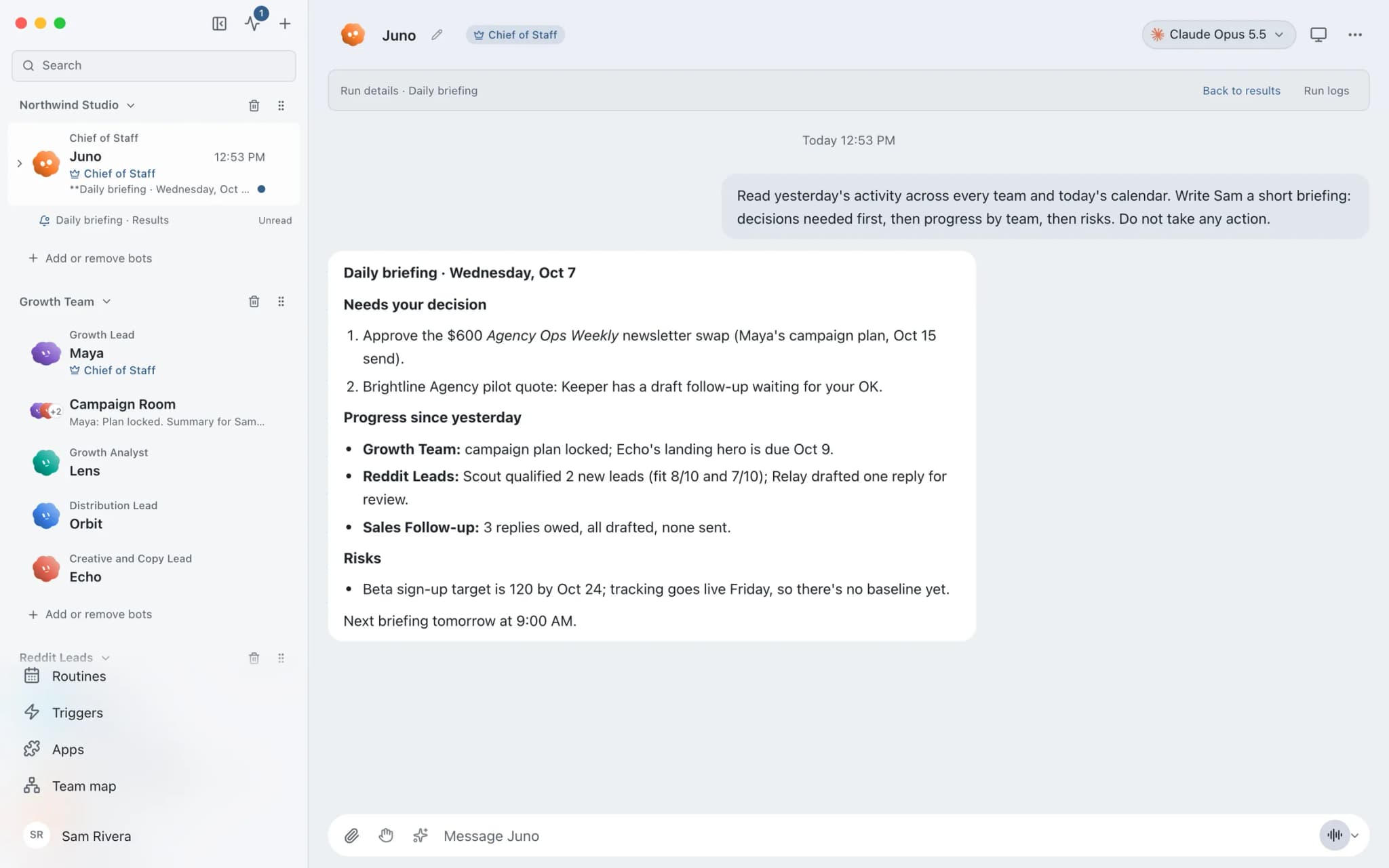
What it looks like in Brainwrite.
A real screenshot from a demo workspace.
Your tools
Apps your team works in.

Google Sheets
Bots read and write Google Sheets, append and upsert rows, and add charts to trackers and reports.

Asana
Turn meeting notes into Asana tasks, chase overdue work, and draft project status updates from the real task list.

Slack
Bots search Slack, summarise channels and threads, and post or schedule updates once you approve.

Airtable
Bots read Airtable schemas, filter and update records, add fields, comment, and upload attachments.

Notion
Bots search Notion, read and write pages, query databases, and add or update rows and comments.
FAQ
Questions about Brainwrite for operations teams
How can operations teams use AI agents?
Use them for scheduled, repeatable work: compiling reports, chasing task owners, cleaning records, and running onboarding checklists. Brainwrite's routines run each job on a schedule with a fresh start and a receipt, and post results to a dedicated thread. Risky actions, such as sending messages or editing records, wait for approval in Ask mode.
What happens if a scheduled run fails?
Every routine run leaves a receipt showing whether it was queued, active, waiting, completed, missed, failed, or cancelled. A run missed because the app was closed shows as missed rather than disappearing. Open the run to see what happened, and use the Inspector for the tool calls behind it.
Can we run Brainwrite for the whole team?
The Organisation plan, at $750 a year, is for teams that run Brainwrite on their own server and includes admin, budgets, and billing. A licence key is emailed for each paid year. Brainwrite Cloud, at $99 a month, covers the desktop app plus one always-on cloud computer. Neither plan includes AI usage.
Related
Other teams.

Founders
A Chief of Staff bot that delegates your briefs, follow-ups, meeting prep, and competitor watch to specialist bots.

Support teams
Reply drafts for repeat tickets, tagging and routing, thread summaries, and help centre updates, with agents approving sends.

Engineering teams
Your existing coding agents as named bots with their own computers, approval cards, routines, and per-thread costs.

Give your first job to Brainwrite.
Download the app, connect the AI you already pay for, and tell your Chief of Staff what needs doing.
macOS today. Windows and Linux are coming soon.