Industry · Recruiting
Keep candidates and hiring managers updated without living in your inbox
Recruiters can use AI agents to schedule interviews, keep candidates updated, summarise applications against a brief, and prepare notes before each call. In Brainwrite, specialist bots work in the email, calendar, and tracker you grant them. A recruiter makes every shortlisting decision and approves messages before they reach a candidate or client.
Recruiting · example team
 NovaChief of Staff
- NovaChief of Staff
 PennyInbox and CRM specialist
 AtlasResearch bot
 DashInbox triager
Brief your Chief of Staff. It picks the specialists and runs the team.


Interview scheduling: ready for you. Nothing sent.
- 1Application summaries
- 2Candidate status updates
- 3Call prep


 Recruiting team4 bots
Where the week goes
The work that eats your time.
Interview scheduling
Matching a candidate's availability with two or three interviewers takes a chain of emails for every round.
Candidates left waiting
Candidates expect updates. When a role stalls, nobody has time to tell twenty people where things stand.
Reading applications
Each role brings dozens of CVs to read against the same brief before the real conversations start.
Client follow-ups
Business development emails to hiring managers go unanswered and nobody follows up.
Start here
The first job to hand off.
Interview scheduling
Give a bot your calendar and email. It proposes times to candidates and interviewers, drafts the invitations, and waits for your approval before anything sends.


Every weekday at 7:30, look at my Google Calendar for meetings with people outside the company. For each, summarise our last email threads, the HubSpot deal stage, and anything I promised, and post the briefs to a thread called Meeting prep.
Your Chief of Staff put a team on it
 Nova· Chief of Staff
 Penny· Inbox and CRM specialist
- Atlas· Research bot
- 3 external meetings today; briefs below
- 11:00 Northwind (Alex Rivera, Ops Lead): deal in Proposal stage; you promised a security questionnaire by Friday
- 14:00 Lumen Dental: first call; their site lists 4 clinics and a new booking page launched this month
- 16:30 Harbor & Pine: last thread ended with their question on onboarding time, still unanswered
DoneWhat to raise in the meeting waits for you. Nothing was sent.
What the team takes on
Jobs your AI team does every week.
Application summaries
Summarise each application against the role brief, quoting the evidence, so the recruiter can decide faster. The bot does not rank or reject.

Candidate status updates
Draft a short, specific update for each candidate in a stalled process, from your tracker, for you to approve.

Call prep
Before a screening or client call, pull the CV, past emails, and open questions into a one-page brief.

Client follow-ups
Find hiring-manager threads where you owe or are owed a reply and draft a follow-up grounded in the conversation.
Tracker hygiene
Flag candidates with no next step or out-of-date stages in Airtable or Google Sheets and propose fixes.
Why a team
Why this works better than a chatbot.
People decide, bots prepare
In Ask mode, sending an email or changing a record becomes an approval card. Bots summarise and draft; recruiters choose.
Memory you can delete
Bot memory is plain text you can read, edit, and delete, so candidate details are not kept in a hidden profile.
Narrow app access
Give the scheduling bot calendar and email only. Each grant is all tools, an exact list, or none.
Candidate data stays local
Chats, files, and memory stay on your Mac. Text goes only to the AI provider and apps you choose.
In detail
See the jobs step by step.



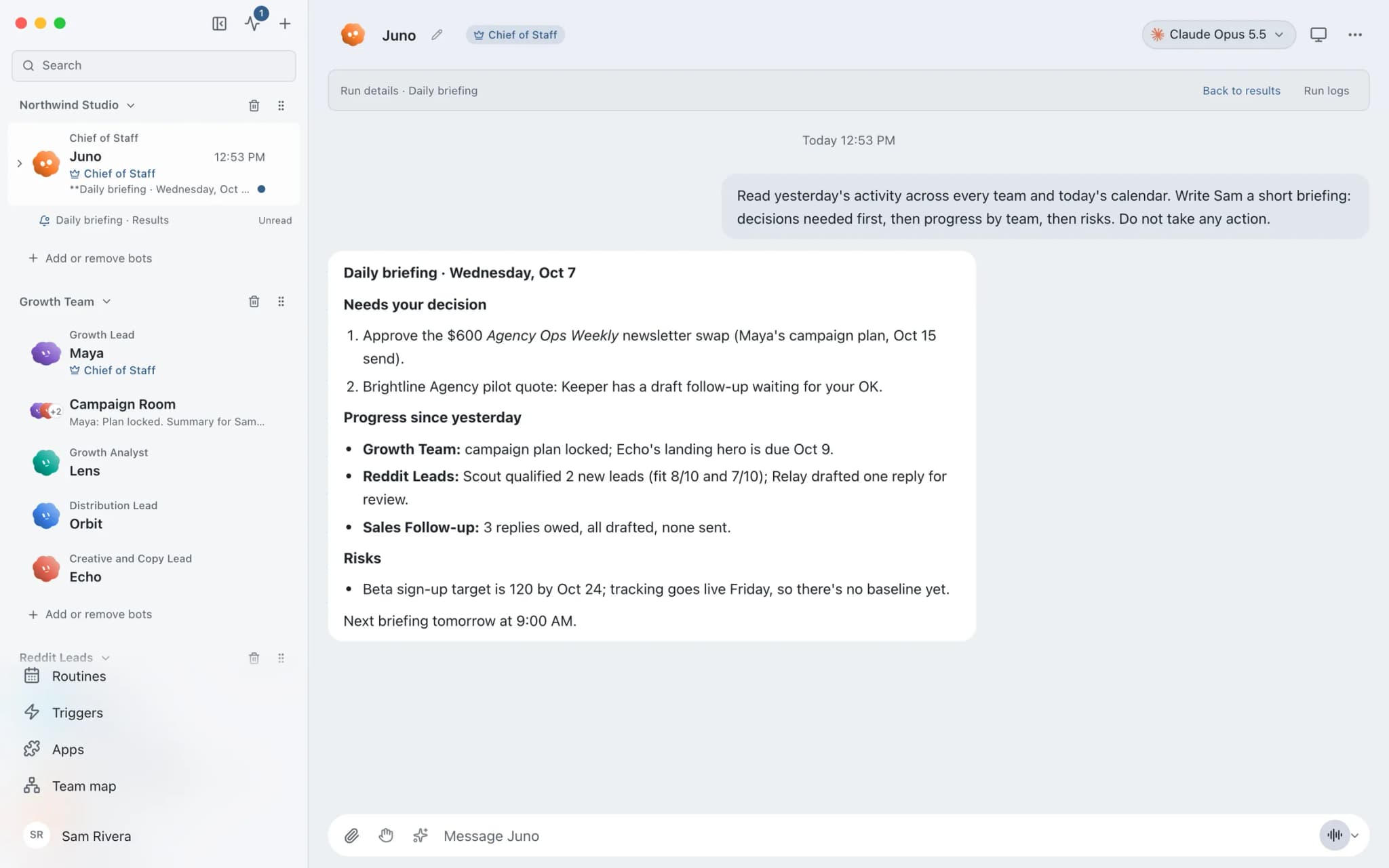
See it in the app
What it looks like in Brainwrite.
A real screenshot from a demo workspace.
Start faster
Ready-made teams to start from.
Your tools
Apps your team works in.

Gmail
Bots search, label, and read Gmail threads and draft replies in place. Sending waits for your approval.

Google Calendar
Bots read your Google Calendar, find free slots, and create or move events. Invites wait for your approval.

Calendly
Bots read Calendly bookings and invitee answers, create one-time booking links, and flag no-shows.

Airtable
Bots read Airtable schemas, filter and update records, add fields, comment, and upload attachments.

Zoom
Bots schedule Zoom meetings, list recordings and attendees, and turn meeting summaries into follow-ups.
FAQ
Questions about Brainwrite for recruiting
How can recruiters use AI agents?
Use them for coordination and preparation: scheduling interviews, sending candidate updates, summarising applications against a brief, preparing call notes, and following up with hiring managers. Brainwrite's bots draft the work from your email, calendar, and tracker. Recruiters approve messages and make every shortlisting and hiring decision.
Can a bot screen out candidates?
It should not. A bot can summarise an application against the brief and quote the evidence, but rejection and shortlisting decisions belong to a person. Automated screening can carry bias, and employment law in many places regulates automated hiring decisions. Keep approval on for every message a candidate will receive.
How do I remove a candidate's details?
Bot memory is plain text you can open, edit, and delete per bot. Chats and files are stored on your machine, so you delete them there. Data already sent to your AI provider or connected apps is governed by their retention terms, so check those as part of your data-protection process.
Related
Related industries.

Real estate
Lead replies, showing scheduling, follow-ups, and listing drafts prepared by bots, approved by you before anything sends.

Consultants
Meeting briefs, sourced research, competitor watch, and client updates prepared by bots, with your judgment on top.

Law firms
Intake triage, consultation scheduling, and document summaries for lawyer review, with files kept on your own machine.

Give your first job to Brainwrite.
Download the app, connect the AI you already pay for, and tell your Chief of Staff what needs doing.
macOS today. Windows and Linux are coming soon.