Industry · Architects
Get minutes, fee proposals, and consultant chasers drafted between design reviews
Architects can use AI agents to draft meeting minutes, prepare fee proposal drafts, chase consultants for information, and write project updates for clients. In Brainwrite, a Chief of Staff bot passes each task to a specialist bot working in your email, calendar, and documents. You keep the design and technical decisions and approve every message.
Architects · example team
 NovaChief of Staff
- NovaChief of Staff
 PennyInbox and CRM specialist
 AtlasResearch bot
 SageDesk researcher
Brief your Chief of Staff. It picks the specialists and runs the team.
Where the week goes
The work that eats your time.
Minutes after every meeting
Design team and client meetings need minutes with actions and owners, written while the next deadline looms.
Fee proposals
Each enquiry needs scope, stages, and fees written up, mostly from past proposals.
Waiting on consultants
Structural, services, and planning consultants owe information, and someone keeps a list of who is late.
Project write-ups
Finished projects deserve a description for the website. The next project starts first.
Start here
The first job to hand off.
Minutes from every project meeting
Give a bot the Fireflies transcript or your notes. It drafts minutes with decisions, actions, owners, and dates in your template, ready for you to check and issue.


Every weekday at 7:30, look at my Google Calendar for meetings with people outside the company. For each, summarise our last email threads, the HubSpot deal stage, and anything I promised, and post the briefs to a thread called Meeting prep.
Your Chief of Staff put a team on it
 Nova· Chief of Staff
 Penny· Inbox and CRM specialist
 Atlas· Research bot
- 3 external meetings today; briefs below
- 11:00 Northwind (Alex Rivera, Ops Lead): deal in Proposal stage; you promised a security questionnaire by Friday
- 14:00 Lumen Dental: first call; their site lists 4 clinics and a new booking page launched this month
- 16:30 Harbor & Pine: last thread ended with their question on onboarding time, still unanswered
DoneWhat to raise in the meeting waits for you. Nothing was sent.
What the team takes on
Jobs your AI team does every week.

Fee proposal drafts
Draft scope, stages, and assumptions from the enquiry and your past proposals, for a partner to price and sign off.

Consultant chasers
Track outstanding information requests in a sheet and draft reminders to consultants who are late. Nothing sends automatically.

Client project updates
Draft a monthly update on progress, decisions needed, and upcoming milestones from your notes and project board.

Project descriptions
Draft a project description for your website from the brief, your notes, and the design statement, for review.
Sourced research summaries
Gather public sources on a site, a planning policy, or a product and write a summary with links, so you can check every claim.
Why a team
Why this works better than a chatbot.
Bots that work together
Put a researcher and a writer in one group conversation, or let the Chief of Staff delegate bounded tasks and summarise the results.
Approval before anything sends
In Ask mode, sending an email becomes an approval card. Minutes and chasers wait for you before they reach anyone.
Memory you can read
Each bot's memory is plain text you can view, edit, and delete. Remove a project's details when the work ends.
Project files stay local
Chats, files, and memory stay on your Mac. Text goes only to the AI provider and apps you choose.
In detail
See the jobs step by step.





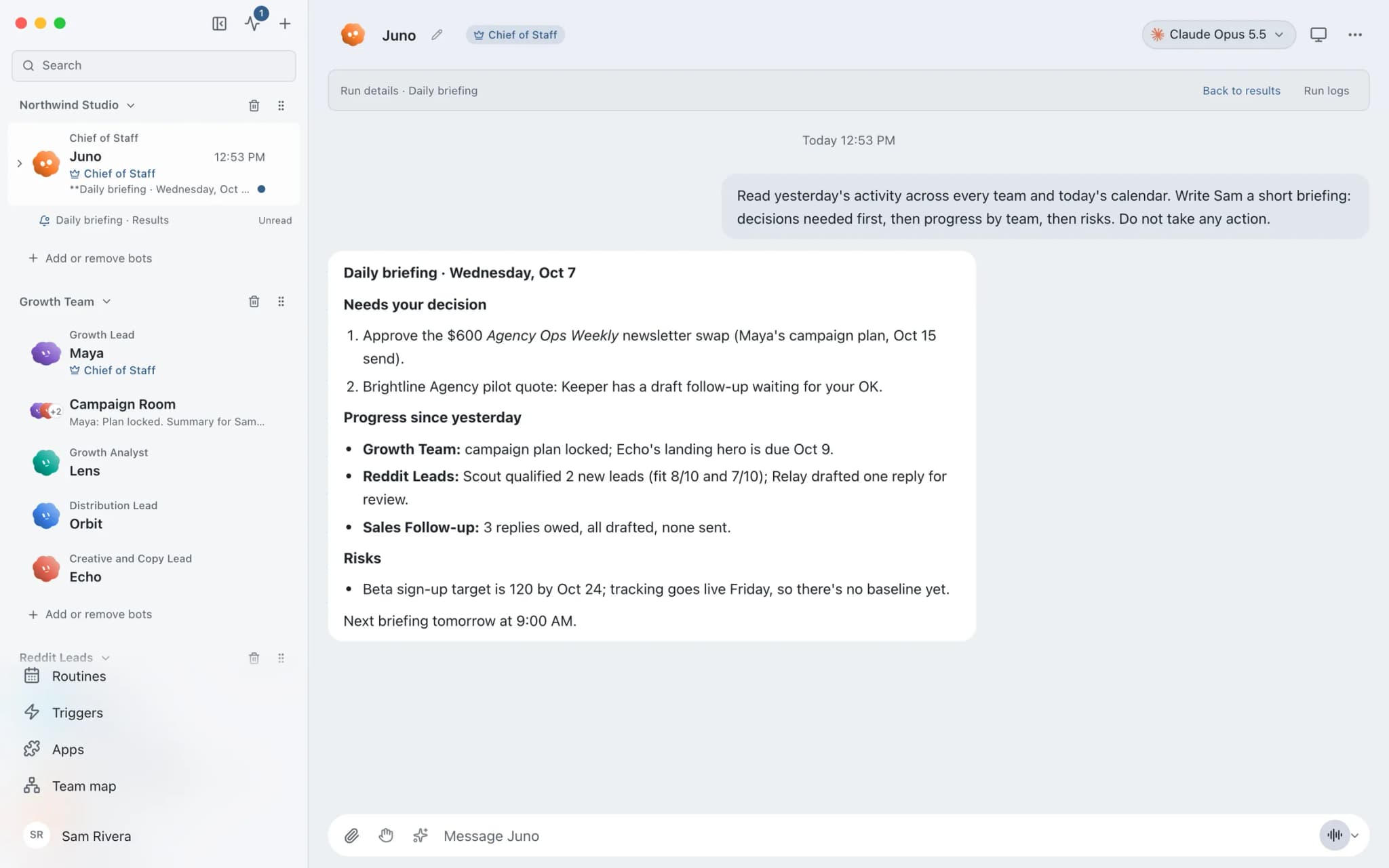
See it in the app
What it looks like in Brainwrite.
A real screenshot from a demo workspace.
Start faster
Ready-made teams to start from.
Your tools
Apps your team works in.

Outlook
Bots search Outlook mail, draft replies, file messages, and find meeting times. Sends wait for your approval.

Fireflies
Bots read Fireflies transcripts, ask AskFred about calls, and turn what was said into follow-ups and CRM notes.

Google Docs
Bots create Google Docs from Markdown, read and search docs, edit sections, and export PDFs.

Dropbox
Bots search, read, upload, and move Dropbox files, and create shared links once you approve.

Asana
Turn meeting notes into Asana tasks, chase overdue work, and draft project status updates from the real task list.
FAQ
Questions about Brainwrite for architects
How can an architecture firm use AI agents?
Use them for the writing around the design work: meeting minutes, fee proposal drafts, reminders to consultants, monthly client updates, and project descriptions. Brainwrite runs a team of bots on your Mac that draft from your email, transcripts, and documents. Architects check every technical statement and approve each message before it is issued.
Can bots read drawings or models?
Bots work with text and files you give them through a working folder or a connected app such as Dropbox. How well a model reads a drawing depends on the AI provider you choose, and it can misread one. Keep design and technical review with architects, and use bots for minutes, correspondence, and admin.
Is project information kept confidential?
Chats, files, and bot memory stay on your Mac, and memory is plain text you can delete. The text a bot works on is sent to the AI provider you chose, under its terms. If a client agreement forbids that, use a local model through OpenCode, Ollama, or LM Studio, or keep that project out of Brainwrite.
Related
Related industries.
Construction
Quote chasing, client progress updates, bid follow-ups, and site notes into tasks, for contractors who spend the day on site.
Design studios
Proposal drafts, call recaps, feedback chasing, and case study drafts, so designers spend their hours on the work itself.

Consultants
Meeting briefs, sourced research, competitor watch, and client updates prepared by bots, with your judgment on top.

Give your first job to Brainwrite.
Download the app, connect the AI you already pay for, and tell your Chief of Staff what needs doing.
macOS today. Windows and Linux are coming soon.