Industry · Dental practices
Get found locally and answer general enquiries without adding front-desk hours
Dental practices can use AI agents for the non-clinical work around the practice: checking local search visibility, drafting treatment pages for the website, answering general enquiries about hours and services, and drafting review replies. In Brainwrite, bots work only with the apps and files you grant them. Keep patient records and clinical details out of what bots see.
Dental practices · example team
 NovaChief of Staff
 AtlasSable, Local On-Page SEO Specialist
 SageRadar, Citation & Maps Intelligence
 DashCipher, Technical SEO Auditor
 PennySage, Content & E-E-A-T Editor
Brief your Chief of Staff. It picks the specialists and runs the team.
Where the week goes
The work that eats your time.
Being found nearby
Most new patients search for a dentist close to home. Listings, opening hours, and the website drift out of date.
General enquiries
Questions about opening hours, parking, fees, and whether you take new patients fill the inbox.
A thin website
Treatment pages were written at launch and do not answer what people search for.
Reviews
New reviews need a reply that never mentions anyone's care, and patterns in them need noticing.
Start here
The first job to hand off.
Audit the practice's local search
The Local SEO team scores your website, Business Profile signals, and listing consistency from free public data, and maps nearby practices. No patient information is involved, and you decide which fixes to make.


Audit our plumbing company site for local SEO. We have 12 location pages; check whether any of them look like doorway pages, and confirm our phone number and address match everywhere.
Your Chief of Staff put a team on it
 Atlas· Sable, Local On-Page SEO Specialist
 Sage· Radar, Citation & Maps Intelligence
- Detected: service-area business, home services vertical
- Doorway risk: 5 of 12 location pages read the same with the city name swapped
- NAP mismatch: footer phone differs from the phone in LocalBusiness schema
- 11 same-category businesses mapped within the service area from OpenStreetMap
DoneWhich listings and pages to correct waits for you. Nothing was sent.
What the team takes on
Jobs your AI team does every week.

Treatment page drafts
Draft plain-English pages on the treatments you offer, for a dentist to check for clinical accuracy before publishing.

General enquiry replies
In a mailbox kept for general enquiries, draft answers about hours, location, fees, and new-patient availability from your own policies. Questions about symptoms or care go to staff.

Review reply drafts
Draft short, general replies to reviews you paste in, without confirming that anyone is a patient or discussing their treatment.

Website SEO audit
The SEO audit team reviews technical, content, and schema issues on the practice website and returns a prioritised fix list.
Supplier and vendor email
Sort supplier quotes, deliveries, and vendor email in a mailbox that holds no patient correspondence, and draft replies for review.
Why a team
Why this works better than a chatbot.
Narrow app access per bot
Give a bot one mailbox and nothing else. Each grant is all tools, an exact list, or none, and imported bots start with none.
Local-first, with your choice of model
Chats, files, and memory stay on your machine. You choose the AI provider for each bot, including local models through OpenCode, Ollama, or LM Studio.
Memory you can read and delete
Bot memory is plain text you can view, edit, and delete, so nothing sits in a hidden profile.
Ready-made search teams
Local SEO and blog teams install from the team library with routines paused and apps off until you approve them.





See it in the app
What it looks like in Brainwrite.
A real screenshot from a demo workspace.
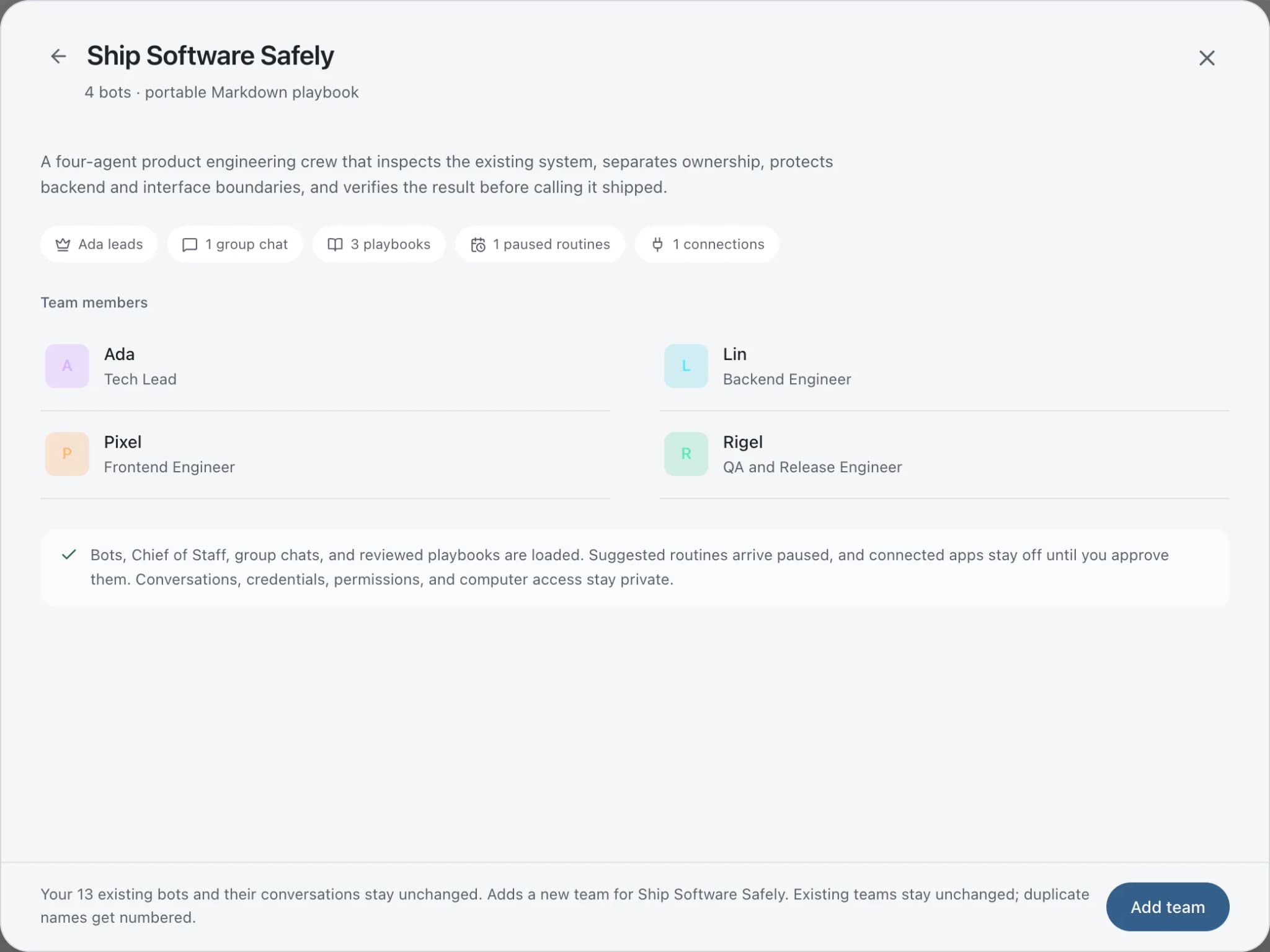
Start faster
Ready-made teams to start from.
Your tools
Apps your team works in.

Google Search Console
Pull Search Console queries and pages, inspect URL indexing, check sitemaps, and find pages losing clicks.

Google Analytics
Run GA4 reports, compare periods, check funnels and realtime traffic, and get changes explained in plain English.

WordPress.com
Read your WordPress.com posts and create and update drafts. Publishing stays with you in the editor.

Gmail
Bots search, label, and read Gmail threads and draft replies in place. Sending waits for your approval.

Google Docs
Bots create Google Docs from Markdown, read and search docs, edit sections, and export PDFs.
FAQ
Questions about Brainwrite for dental practices
How can a dental practice use AI agents?
Use them for non-clinical work: checking local search visibility, drafting treatment pages for the website, answering general questions about hours and services, and drafting review replies. Brainwrite's bots work from public data and the apps you grant. Keep patient records out of their reach, and have a dentist check anything clinical before it is published.
Is Brainwrite HIPAA compliant?
Brainwrite makes no HIPAA compliance claim and holds no SOC 2 or ISO 27001 certification. Its design is local-first: chats, files, and memory stay on your machine, but the text a bot works on goes to the AI provider you choose. Do not give bots patient records or other protected health information.
Can it connect to my practice management software?
Connecting a system that holds patient records would send that data to your AI provider whenever a bot reads it, so most practices should not. Keep Brainwrite to marketing, the website, and general admin, and keep patient scheduling, records, and reminders in the software built for them.
How should a bot reply to online reviews?
With general, courteous replies that never confirm someone is a patient or mention their treatment. Paste a review in and a bot drafts a reply following those rules, which you can keep in its memory. A person reads and posts every reply, and reviews that raise a clinical complaint go to the dentist.
Related
Related industries.

Local businesses
Local SEO checks, customer reply drafts, quote follow-ups, and competitor watch for businesses that serve a local area.

Law firms
Intake triage, consultation scheduling, and document summaries for lawyer review, with files kept on your own machine.
Fitness studios
Trial enquiry replies, win-back messages, class promotions, and local search checks for gyms and studios.
Give your first job to Brainwrite.
Download the app, connect the AI you already pay for, and tell your Chief of Staff what needs doing.
macOS today. Windows and Linux are coming soon.