Use case · Marketing
Turn one finished piece into a week of posts
To repurpose content with AI agents, give a finished post or transcript to Wren, the writer on Brainwrite's Blog Writing & SEO Team. Wren adapts it for each format you name, such as LinkedIn posts, a newsletter section, or video talking points, keeping the original claims and sources. Vera can review the results. Each piece waits for you to post or approve.


Take our post on month-end close and turn it into three LinkedIn posts, a 150-word newsletter section for Beehiiv, and talking points for a two-minute video. Keep every statistic exactly as sourced.
Your Chief of Staff put a team on it
 Sage· Wren, Blog Writer
 Atlas· Vera, Content Quality Reviewer
 Nova· Chief of Staff
- 3 LinkedIn post drafts, each built on a different angle from the original
- Newsletter section: 148 words, same 2 statistics and sources as the post
- Video talking points: 6 beats for a two-minute recording
- Vera flagged one LinkedIn draft that rounded a statistic; corrected
DoneWhich pieces go out, where, and when waits for you. Nothing was sent.
 NovaChief of StaffReport draftedSageWriterSummary polished
Content repurposing: done. Nothing sent.
- 13 LinkedIn post drafts, each built on a different angle from the original
- 2Newsletter section: 148 words, same 2 statistics and sources as the post
- 3Video talking points: 6 beats for a two-minute recording
 3 bots on this job
The job
Doing it yourself, and handing it off.
Doing it yourself
You spend a day on a good post and then publish it once. Turning it into a LinkedIn post, a newsletter blurb, and a few video scripts means rereading it, picking the angles, rewriting for each format's length and tone, and checking you did not distort a statistic along the way. That is another half day, so it gets skipped, and the post reaches far fewer people than it could.
What the team does
- Pick the strongest angles from one source piece
- Rewrite for each format's length and tone
- Keep statistics and sources identical to the original
- Flag claims that do not survive shortening
What waits for you
- Which pieces go out, where, and when
- Every post sent through a connected app
See it in the app
What it looks like in Brainwrite.
A real screenshot from a demo workspace.
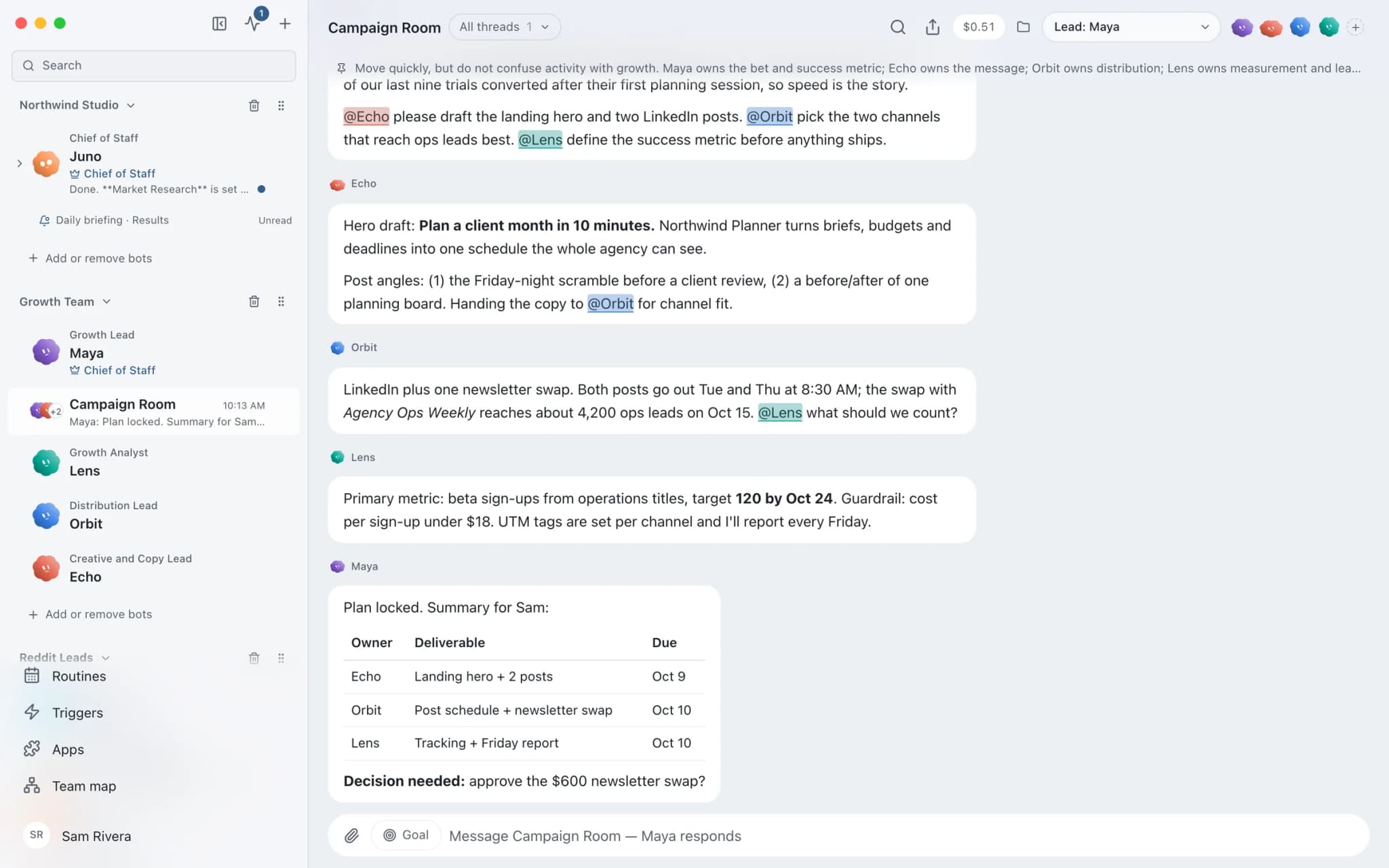
The team
Who's on it.
Your Chief of Staff picks the specialists the job needs. Each has its own role, instructions, model, and app access.
 SageIllustrated example
Wren, Blog Writer
Owns cross-platform repurposing as part of the writing pipeline, and keeps names, claims, and sources intact across formats.
 AtlasIllustrated example
Vera, Content Quality Reviewer
Reviews the repurposed pieces and flags issues by severity, including claims that drifted from the original.
- NovaIllustrated example
Chief of Staff
Takes the request and hands each format to the right bot when you want several at once.
How it runs
A run, step by step.
- 01
Hand over the source
Share the finished post, transcript, or document, and list the formats and channels you want.
- 02
Adapt per channel
Wren rewrites for each format's length and tone without changing the underlying claims.
- 03
Check
Vera reviews the pieces and flags anything that no longer matches the source.
- 04
Publish yourself
Copy the drafts out, or let a bot post through a connected app such as LinkedIn after you approve each post.
Start faster
Ready-made teams for this job.
Add a team from the library in one click. You see a preview first; routines arrive paused and connected apps stay off until you approve them.
What you'll connect
Apps this job uses.

LinkedIn
Draft LinkedIn posts and comments, read company page and share stats, and publish only after you approve.

beehiiv
Bots write beehiiv draft posts, review past issues, and manage subscribers and segments. You publish.

YouTube
Read YouTube captions and stats, sort comments, update video details, and reply only after you approve.

Google Docs
Bots create Google Docs from Markdown, read and search docs, edit sections, and export PDFs.
FAQ
Questions about Content repurposing
Can it post to X (Twitter)?
Not directly. X (Twitter) is not available as a connected app in Brainwrite, because X does not offer the shared sign-in the other services use. The bot can still draft posts written for X, which you copy and publish yourself.
Will repurposed posts change my facts?
The team is set up to prevent it. Wren keeps names, claims, and sources from the original, and the blog team's research rules mean statistics come from verified sources in the first place. Ask Vera to compare each repurposed piece with the original and flag anything that drifted before you post it.
Can it prepare posts on a schedule?
Yes. A routine can prepare drafts on a cadence, such as every Monday from the latest post, and each draft waits for your approval before anything goes out through a connected app. Local routines need Brainwrite running at the scheduled time; Brainwrite Cloud runs them around the clock.
Built on
Features this job relies on.
Team library
Add a ready-made team of bots in one click. Preview first; routines arrive paused and apps stay off.
Approvals
Risky actions become cards you approve or deny in the conversation. Ask or Full Access per thread.
Connected apps
Gmail, GitHub, Slack, Notion and hundreds more via OAuth, with per-bot tool grants.
Memory
Plain-text memory per bot that you can read, fix and delete. No hidden profile.









Give your first job to Brainwrite.
Download the app, connect the AI you already pay for, and tell your Chief of Staff what needs doing.
macOS today. Windows and Linux are coming soon.