Computers and browsers
An isolated desktop for each bot, on your own Mac
The Local VM in Brainwrite gives a bot its own containerized Linux desktop on the Mac that runs Brainwrite, using Docker or Podman. It suits browser work, downloads and repeatable automation that should not touch your real desktop. The bot's workspace and browser profile persist in a mounted folder, and you can watch two bot desktops side by side.


Download the 12 public filings on this list and rename them by date.
Your Chief of Staff put a team on it
 Nova· Chief of Staff
 Atlas· Desk researcher
 Sage· Customer voice researcher
- Downloaded 12 of 12 PDFs inside the Local VM.
- Renamed them to YYYY-MM-DD form.
- Saved in the bot's workspace, which survives a desktop rebuild.
- Nothing landed in your Mac's Downloads folder.
DoneDone. Nothing was sent.

Downloads that stay off your Mac: done. Nothing sent.
- 1Downloaded 12 of 12 PDFs inside the Local VM.
- 2Renamed them to YYYY-MM-DD form.
- 3Saved in the bot's workspace, which survives a desktop rebuild.
 3 bots on this job
See it in the app
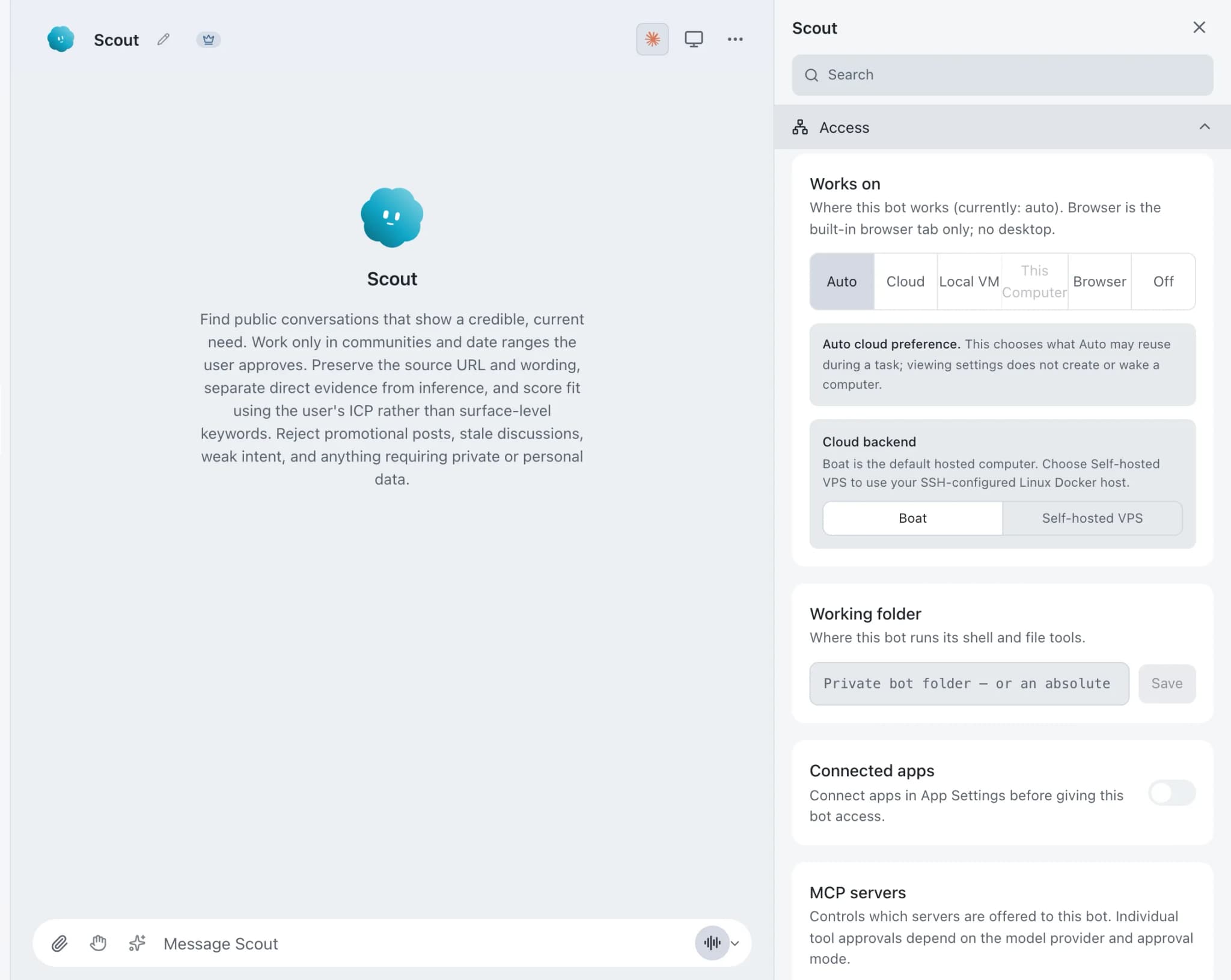
Local VM in Brainwrite.
How it works
How Local VM works.
- 01
Install a container runtime
Use Docker Desktop, Docker Engine or a supported Podman setup, with enough memory and disk for the desktop image.
- 02
Prepare the image
Open Settings → Local VM, prepare the managed desktop image, and choose Per bot.
- 03
Allow two desktops
Set Maximum per-bot desktops to 2 if two bots should each have their own.
- 04
Assign and create
Give a bot Local VM as its computer and create its desktop from that bot's Computer panel.
- 05
Watch both
Choose Open two desktops from either bot to see both in one workspace.
Good to know
The details.
A durable workspace
The bot's workspace and browser profile live in a mounted directory. Recreating the desktop repairs stale runtime state without deleting them.
Verified before reuse
Brainwrite checks the resolved image and the container safety contract before reuse, instead of trusting a mutable image tag.
Leased ownership
Local VM ownership uses a renewable lease, so Brainwrite knows which bot holds which desktop.
One controller at a time
Both desktops can keep running, but only one pane holds interactive control. Switching control releases the previous pane first.
No surprise VMs
Opening the two-desktop workspace never creates or starts a VM on its own.
The edges, plainly
- Local VMs always run on the Mac that runs Brainwrite. For a desktop on another machine, use your own VPS.
- You need Docker or Podman installed and healthy, plus enough local memory and disk for the desktop image.
- Only one desktop pane can hold interactive control at a time.




FAQ
Questions about Local VM
How do I run an AI agent in a sandbox on my Mac?
Give the bot a Local VM. Brainwrite runs a containerized Linux desktop for it through Docker or Podman, so browser work, downloads and automation happen there instead of on your real desktop. Set it up in Settings → Local VM, then choose Local VM as the bot's computer.
Does the Brainwrite Local VM need Docker?
It needs a container runtime: Docker Desktop, Docker Engine or a supported Podman setup, healthy and available to Brainwrite. You also need enough memory and disk for the desktop image. Without one, use a hosted Boat desktop or your own VPS instead.
Do my files survive if I recreate the Local VM?
Yes. The bot's workspace and browser profile live in a durable mounted directory. Recreating the desktop repairs stale runtime state without deleting that workspace, so downloads and signed-in browser sessions in the profile carry over.
Can two AI agents have their own desktops at the same time?
Yes. In Settings → Local VM choose Per bot and set Maximum per-bot desktops to 2, then give two bots Local VM as their computer. Open two desktops shows both in one workspace. Both can run, but only one pane holds interactive control at a time.
Works well with
Related features.

Computer use
Let a chosen bot use your Mac's apps, or an isolated desktop, with approvals for risky actions.

Built-in browser
A browser tab bots use for web work, which you can watch and take over for sign-ins and MFA.

VPS computers
A hardened desktop container on your own Linux server, reached over SSH. Or a hosted Boat desktop.





Give your first job to Brainwrite.
Download the app, connect the AI you already pay for, and tell your Chief of Staff what needs doing.
macOS today. Windows and Linux are coming soon.