Computers and browsers
Put the bot's desktop on a server you own
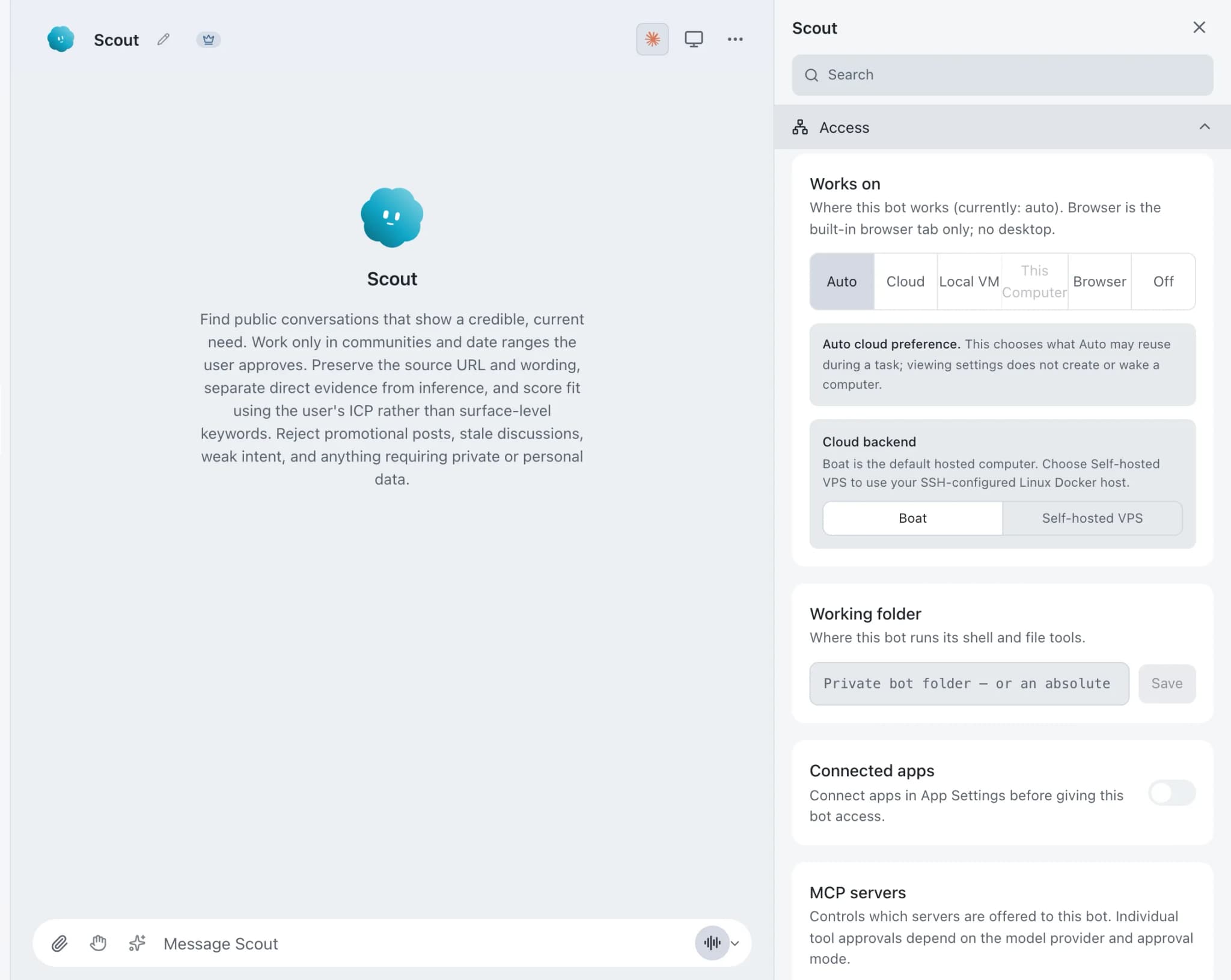
VPS computers in Brainwrite let a bot use a managed desktop container on an x86_64 Linux server you own, controlled over SSH through Docker. The agent process stays on your Mac; only Docker commands and the desktop container run on the server. The container publishes no ports, has no host mounts, and is checked before every attach.


On the VPS desktop, open each of the 40 Northwind Studio product pages and note any that fail to load.
Your Chief of Staff put a team on it
 Nova· Chief of Staff
 Atlas· Desk researcher
 Sage· Customer voice researcher
- Checked 40 pages in the VPS desktop.
- 2 return errors: /pricing/old and /docs/v1.
- 1 takes more than 10 seconds to load: /gallery.
- Move any files you want to keep out of the container before it is rebuilt.
DoneDone. Nothing was sent.


A long check, off your Mac: done. Nothing sent.
- 1Checked 40 pages in the VPS desktop.
- 22 return errors: /pricing/old and /docs/v1.
- 31 takes more than 10 seconds to load: /gallery.
 3 bots on this job
See it in the app
VPS computers in Brainwrite.
How it works
How VPS computers works.
- 01
Set up an SSH alias
Add an SSH config alias with connection multiplexing, keepalives and a connect timeout. Connect once by hand to approve the host key.
- 02
Verify Docker
Run ssh my-vps true, then docker -H ssh://my-vps info. The SSH user needs Docker access.
- 03
Assign it to a bot
Choose the VPS as the bot's computer. Turn on Start VPS automatically if Auto may create or wake the container; it is off by default.
- 04
Take control when needed
Take control opens the VPS desktop inside Brainwrite through a temporary SSH tunnel that closes with the viewer.
Good to know
The details.
A hardened container
The managed container publishes no ports, has no host mounts, and is checked before every attach.
The viewer stays private
noVNC stays on the container's private bridge network. Only a random loopback port opens on your computer while you watch.
Clear failures
When neither the VPS nor a local fallback is available, Brainwrite shows the exact VPS failure instead of quietly dropping the bot's computer tools.
Boat, if you would rather not run a server
Add a Boat API key in Settings for an isolated hosted Linux desktop that can sleep and wake, with a live viewer for temporary control. Boat is a paid third-party service after its trial.
Models on a Boat desktop
OpenAI-compatible connections, including OpenRouter, can drive a Boat desktop with the bot's chosen model. Pick a model that supports both images and tools.
The edges, plainly
- Docker access is root-equivalent on that server. Use a dedicated VPS and firewall inbound traffic to SSH only.
- Treat the container's filesystem as disposable. Move results out before deleting or upgrading it.
- The server must be x86_64 Linux with Docker, and the agent itself still runs on your Mac.




FAQ
Questions about VPS computers
Can I give an AI agent a desktop on my own server?
Yes. Brainwrite can control Docker on an x86_64 Linux server through an SSH config alias and run a managed desktop container there for one bot. The agent process stays on your Mac. Only Docker commands and the container run on the server.
What server do I need for a Brainwrite VPS computer?
An x86_64 Linux server with Docker, reachable through an SSH alias that uses connection multiplexing, keepalives and a connect timeout. The SSH user needs Docker access. Check it with ssh my-vps true and docker -H ssh://my-vps info before assigning it to a bot.
Is it safe to give an AI agent access to my VPS?
Treat it as a privileged setup. Docker access is root-equivalent on the server, so use a dedicated VPS and firewall inbound traffic to SSH only. Brainwrite's container publishes no ports, has no host mounts, and is checked before every attach. The viewer opens only through a temporary SSH tunnel.
How is a VPS computer different from Brainwrite Cloud?
A VPS computer is a desktop on your own server for one bot, while the agent keeps running on your Mac. Brainwrite Cloud is a whole always-on Brainwrite computer that runs your bots, routines and connected apps itself, even when your Mac is off, for $99 a month.
Works well with
Related features.

Local VM
A containerized Linux desktop per bot on your Mac, via Docker or Podman. Your real desktop stays clean.

Computer use
Let a chosen bot use your Mac's apps, or an isolated desktop, with approvals for risky actions.

Brainwrite Cloud
Your own always-on computer that runs your bots 24/7, routines included. $99 a month.





Give your first job to Brainwrite.
Download the app, connect the AI you already pay for, and tell your Chief of Staff what needs doing.
macOS today. Windows and Linux are coming soon.