Voice and mobile
Your desktop team on your phone, coming soon
The Brainwrite companion app, coming soon for iPhone and Android, is a window onto the Brainwrite running on your Mac. You pair it with a QR code, then read and send messages, answer approvals and questions, and follow live work. Your Mac stays the only machine that runs your bots and holds their credentials, chats and computers.


Approve from your phone (coming soon): done. One thing waits for you.
- 1Proposal draft is ready in the thread.
- 2Approval card is waiting, visible on your paired phone.
- 3Your Mac keeps running the bot; the phone only answers.


 3 bots on this job
See it in the app
The iPhone companion app.
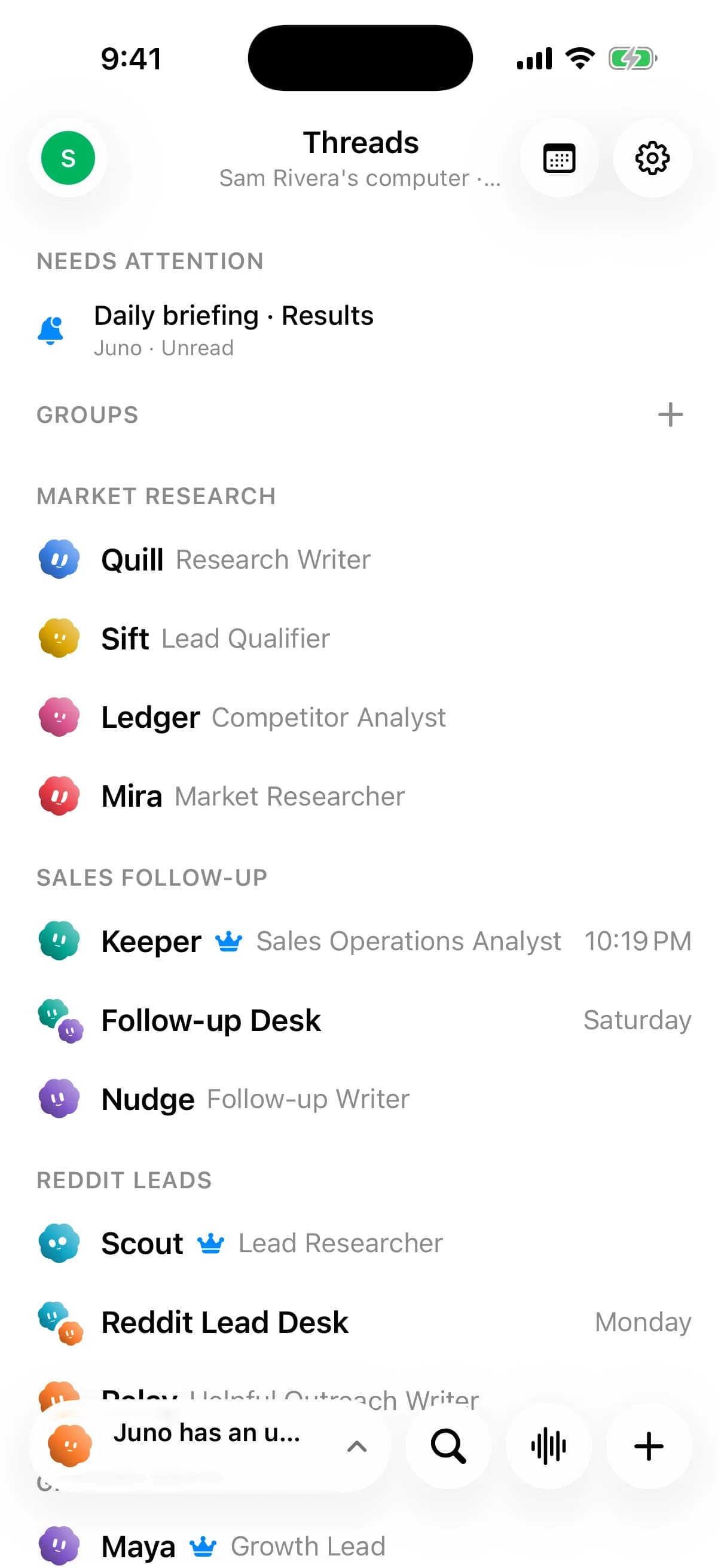
Brainwrite iPhone app thread list: a Daily briefing needing attention, bots grouped by team, and a bottom bar with search, Walkie and new-bot buttons.
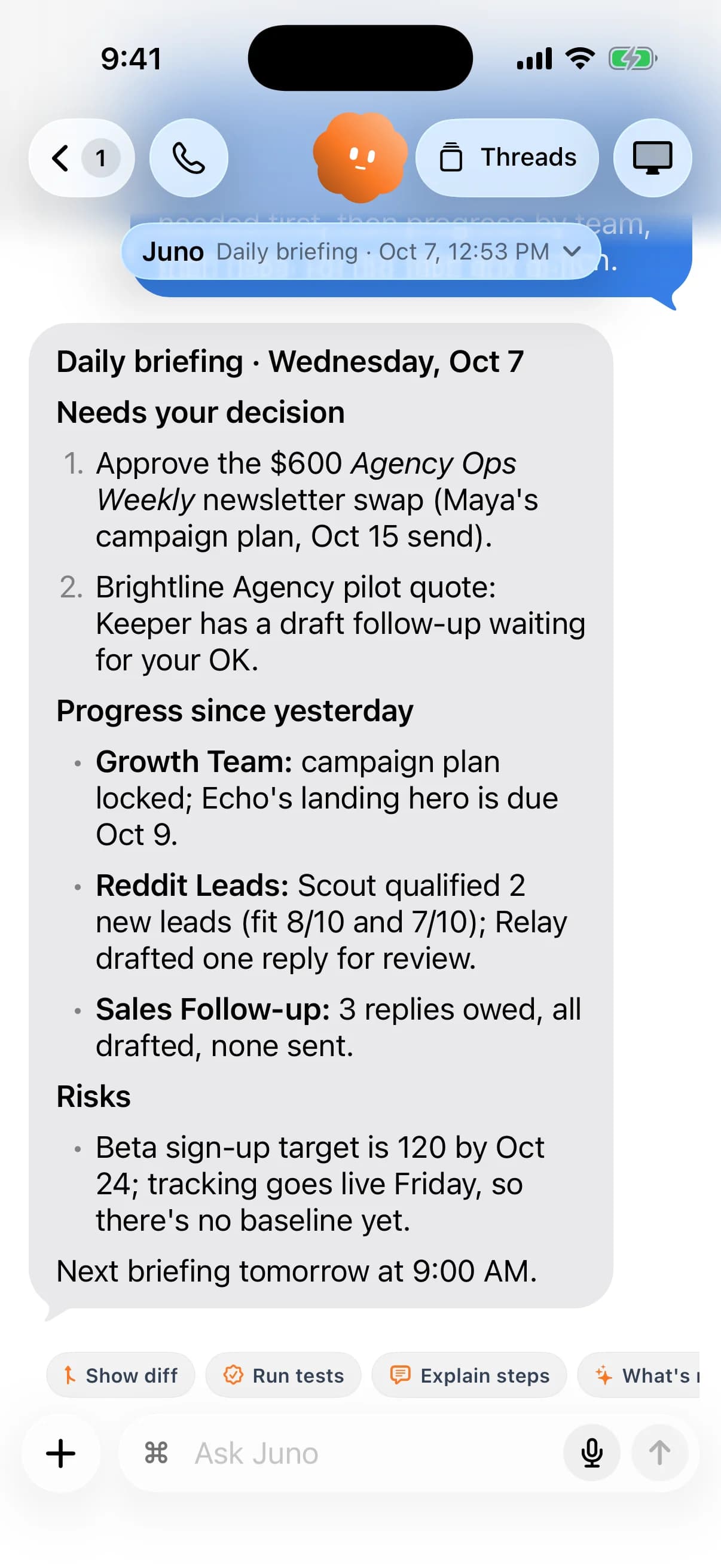
iPhone chat with Chief of Staff Juno showing the daily briefing: decisions needed, progress by team, and risks.
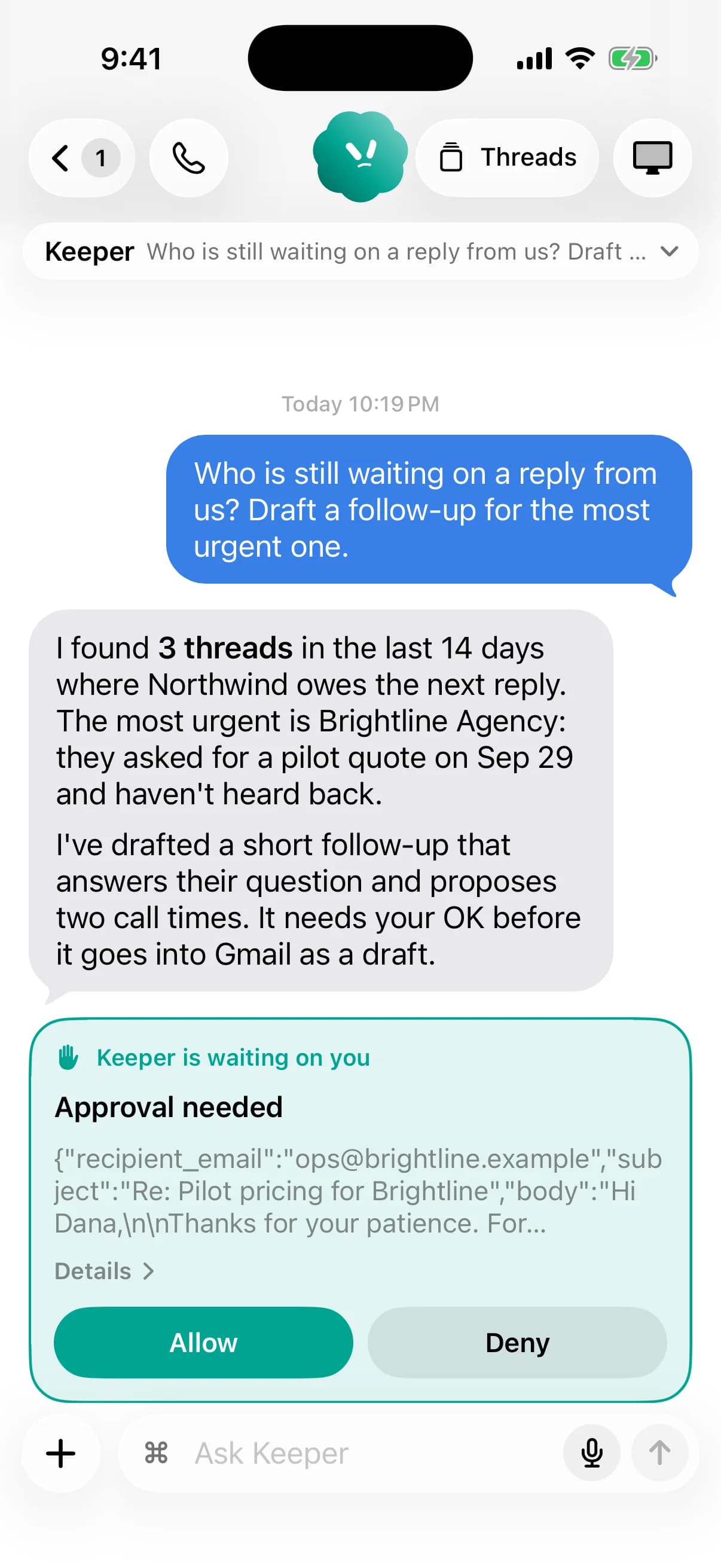
iPhone chat with Keeper: a drafted follow-up to Brightline Agency waits on an Approval needed card with Allow and Deny buttons.
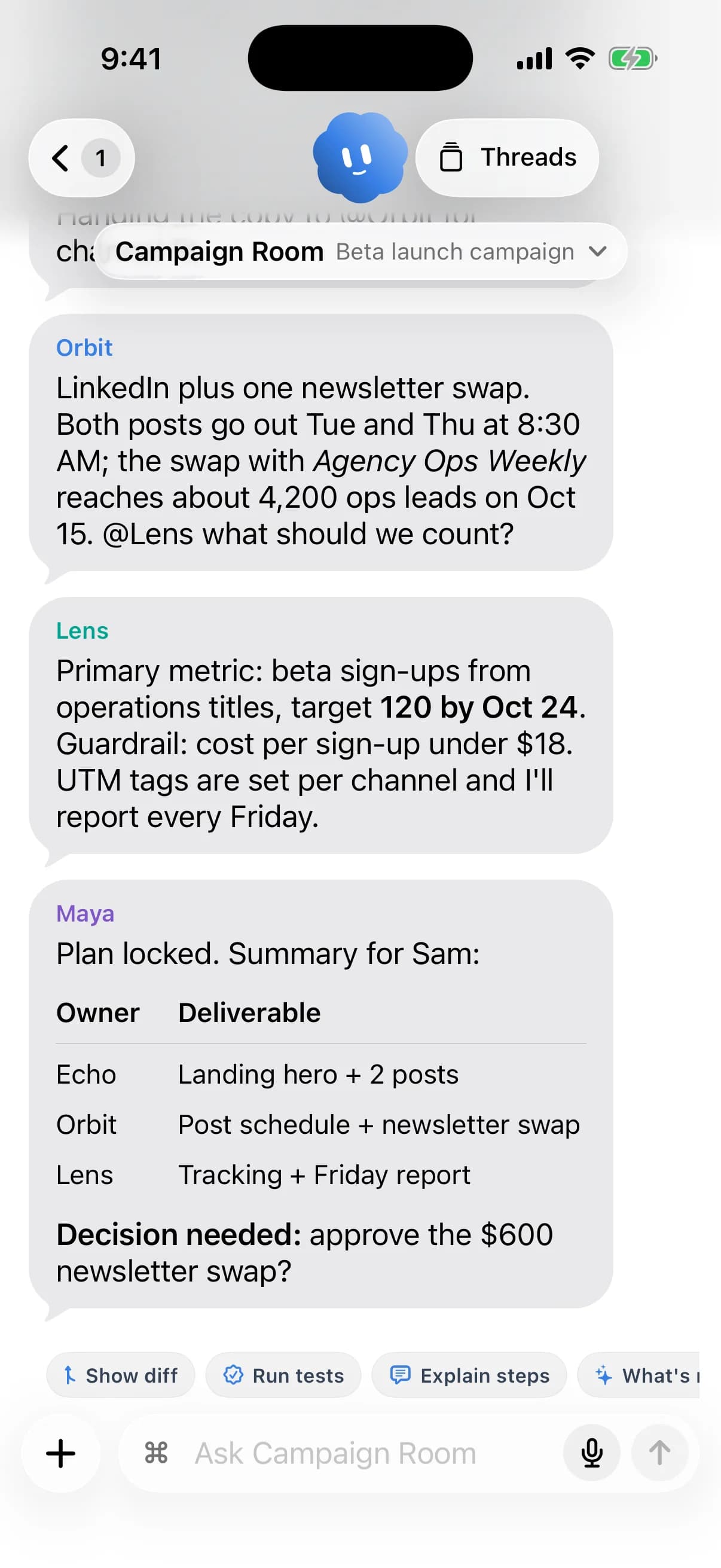
Campaign Room group chat on iPhone: Orbit, Lens and Maya plan a beta launch and Maya posts an owner/deliverable table.
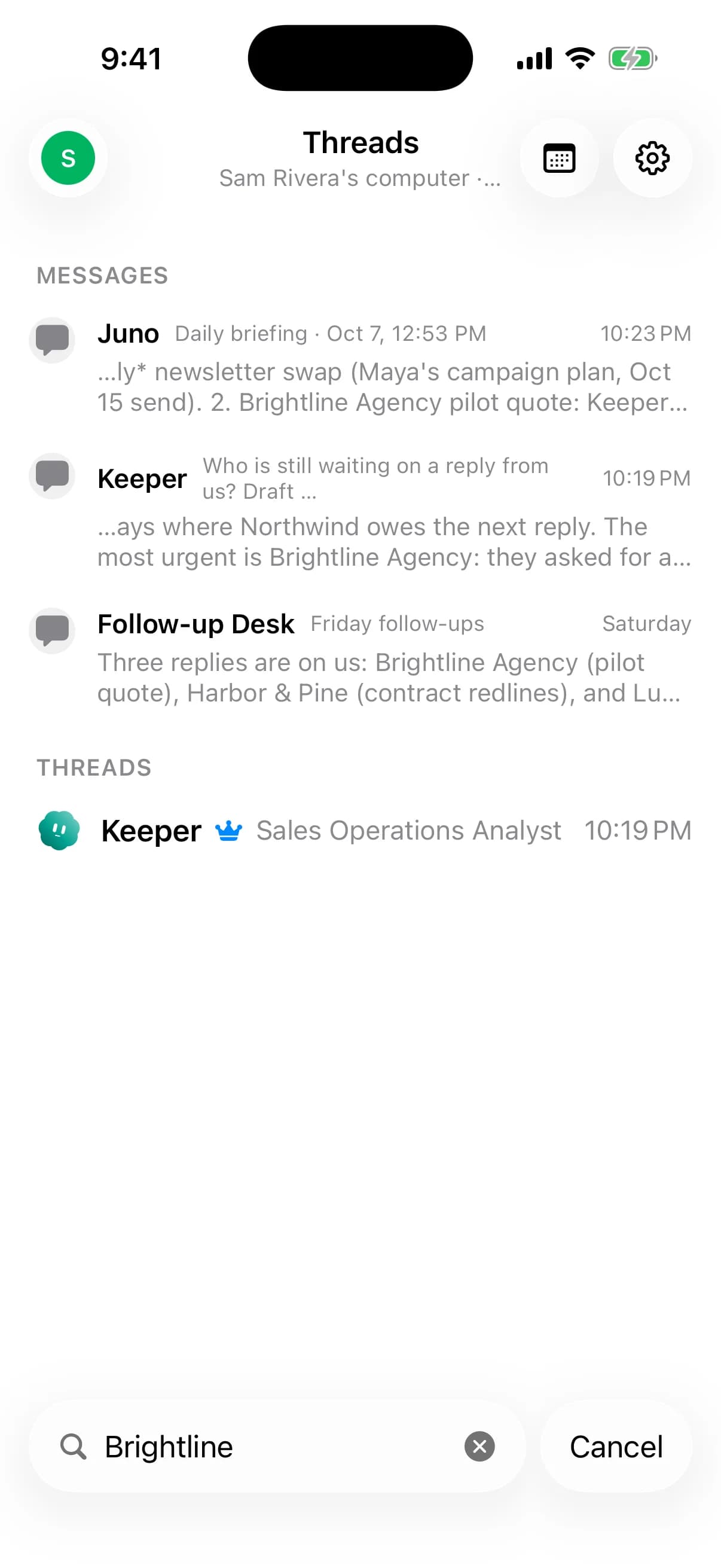
iPhone search for Brightline returning matching messages from Juno, Keeper and Follow-up Desk, plus Keeper's thread.
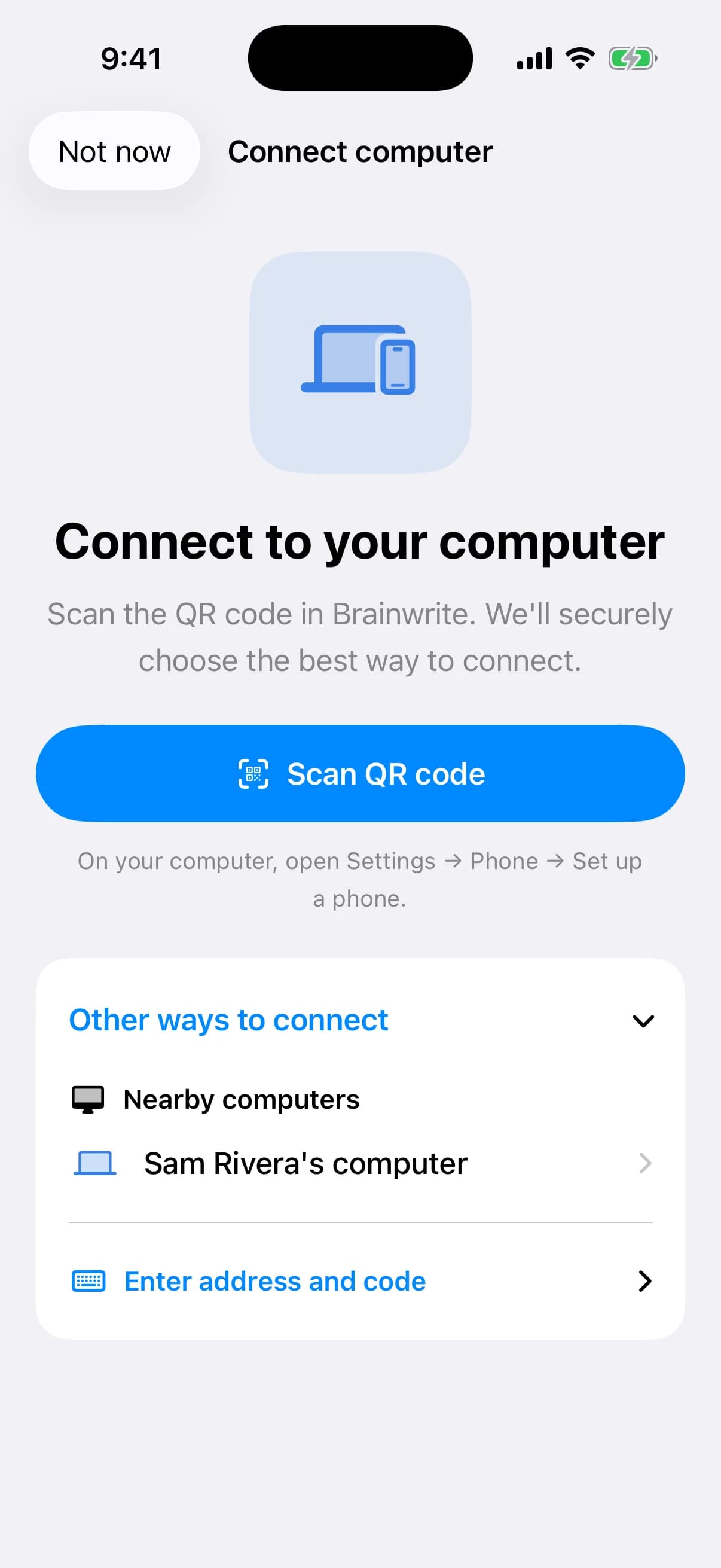
iPhone Connect to your computer screen with Scan QR code and a nearby computer found on the network for code pairing.
The iPhone and Android companion apps are coming soon.
How it works
How Mobile companion works.
- 01
Open a pairing window
On your Mac, Brainwrite opens a two-minute pairing window with a QR code and a six-digit fallback code.
- 02
Pair the phone
Scan the code or type the six digits. The phone gets its own per-device token, and your Mac stores only a digest of it.
- 03
Choose how to connect
On the same Wi-Fi the phone finds your Mac directly. Away from home, use Tailscale on both devices or an optional hosted HTTPS address.
- 04
Keep your Mac reachable
Settings → Remote access has Keep this computer awake, off by default, so the phone can reach your Mac while you are away.
Good to know
The details.
What it is built to do
List bots and groups, read and send messages, interrupt work, answer approvals and questions, search, and follow live updates.
Default-deny by design
The phone can reach only an allowlist of routes. Provider keys, pairing admin, Local VM lifecycle, webhook secrets and team import or export stay desktop-only.
Grants are read-only
The phone shows each bot's connected-app grants but can never change them. Editing happens on the computer.
Hosted HTTPS without your chats
For the hosted address, Brainwrite's account service stores only which account and computer it belongs to, never your chats.
Revoke a lost phone
Revoking the device from desktop Settings invalidates its future requests.
Android control over USB, today
Separate from the companion app, a bot can already operate a USB-connected Android phone through the Phone Harness skill.
The edges, plainly
- The iPhone and Android companion apps are not available yet. They are coming soon.
- Your Mac must stay on, awake and running Brainwrite. A sleeping Mac cannot be reached, even over hosted HTTPS.
- Secrets cannot be entered from a phone; the card asks you to finish on the computer that runs your bots.
- Alerts arrive while the app is connected; a fully closed iPhone app cannot be woken without a future push relay.






FAQ
Questions about Mobile companion
Is there a Brainwrite app for iPhone or Android?
Not yet. Companion apps for iPhone and Android are coming soon; Brainwrite runs on macOS today. The companion pairs with the Brainwrite on your Mac, which keeps running your bots and holding their credentials and chats. If you need bots working while your Mac is off, Brainwrite Cloud covers that.
Will the mobile app run AI agents on my phone?
No. The companion is a window onto the Brainwrite running on your Mac. Your Mac stays the only machine that runs your bots and keeps their credentials, chats and computers. The phone sends messages and answers approvals; the work happens on the Mac.
How will the companion app reach my Mac when I am away from home?
On the same Wi-Fi it finds your Mac directly. Away from home you can use Tailscale on both devices, or sign in by email on the desktop to get a private hosted HTTPS address. In every case your Mac must be on, awake and running Brainwrite.
Can an AI agent control an Android phone today?
Yes, over USB. That is separate from the coming companion app. Brainwrite's Phone Harness skill lets a supported bot inspect the screen, open apps, tap, type, swipe and take screenshots on a USB-connected Android device with USB debugging turned on.
Works well with
Related features.

Voice and calls
Per-bot voices, on-device dictation, and calls that take turns or run live.

Approvals
Risky actions become cards you approve or deny in the conversation. Ask or Full Access per thread.

Brainwrite Cloud
Your own always-on computer that runs your bots 24/7, routines included. $99 a month.

Computer use
Let a chosen bot use your Mac's apps, or an isolated desktop, with approvals for risky actions.





Give your first job to Brainwrite.
Download the app, connect the AI you already pay for, and tell your Chief of Staff what needs doing.
macOS today. Windows and Linux are coming soon.