Control and security
See exactly what the agent did, step by step
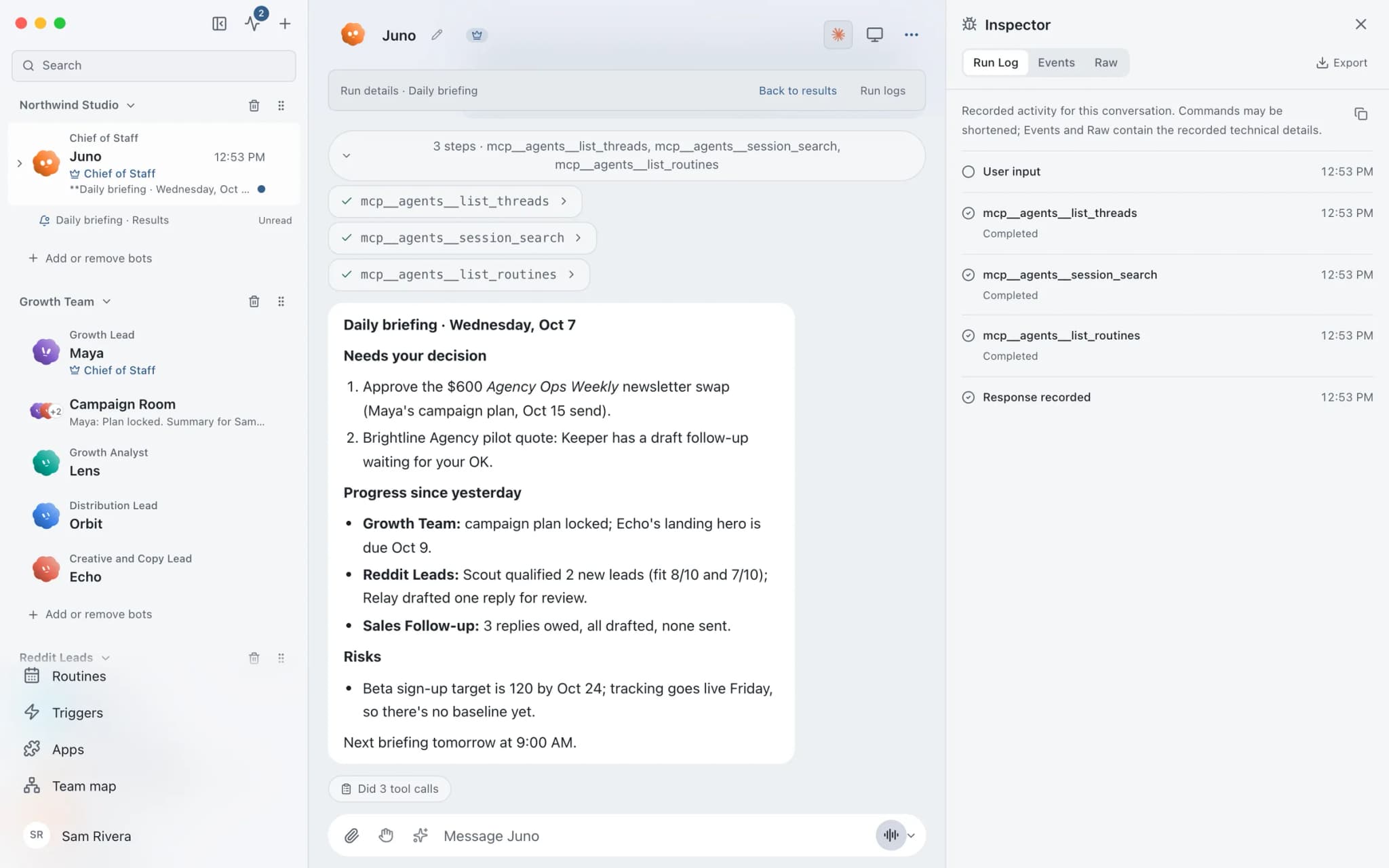
The Inspector in Brainwrite is a detailed view of a conversation that shows tool calls, reconnect attempts, engine output and long-running work in more depth than the chat. You open it from the chat's header menu in Advanced mode. Export saves the conversation, its events and the engine's raw messages in one file, in time order, with secrets removed.


Prepare release notes for v2.3 from the merged pull requests.
Your Chief of Staff put a team on it
 Nova· Chief of Staff
 Dash· Triage bot
 Atlas· Rigel, QA and Release Engineer
- Tool call: list merged pull requests, 23 results.
- Stream dropped; reconnect attempt 1 succeeded.
- Engine error: 401, the CLI sign-in has expired.
- Export saved with secrets removed.
DoneSign in to the engine's CLI again, then retry: waiting for your yes.


Why did the run stall?: done. One thing waits for you.
- 1Tool call: list merged pull requests, 23 results.
- 2Stream dropped; reconnect attempt 1 succeeded.
- 3Engine error: 401, the CLI sign-in has expired.
 3 bots on this job
See it in the app
Inspector in Brainwrite.
How it works
How Inspector works.
- 01
Turn on Advanced mode
Open Settings → General → Advanced mode. The choice applies to this device and only shows or hides controls.
- 02
Open the Inspector
Choose Inspector from the chat's header menu.
- 03
Follow the run
Watch tool calls, engine output and reconnect attempts as the bot works, or review them afterwards.
- 04
Export if you need to share
Choose Export to save one file with the conversation, its events and the raw engine messages. Review it before sending.
Good to know
The details.
Secrets removed, content kept
Export strips secrets but keeps what was said and done, in time order.
Retries you can see
Brainwrite retries transient streaming failures. If retries end in an authentication or configuration error, fix the engine rather than retrying the task.
Everything stays with its task
Questions, choices, permission requests, tool activity and failures remain attached to the task that produced them.
Made for bug reports
The exported file is the thing to attach when you report a problem, because it shows the engine's own messages, not just the chat.
The edges, plainly
- The Inspector is available in Advanced mode only.
- Exports include the full conversation and what the agent did. Review the file before you share it.
Use cases
Jobs this feature does for you.


Works with
Apps it's often used with.

GitHub
Triage GitHub issues, review pull requests, read failing workflow logs, and draft release notes. Merges wait for you.

Sentry
Triage new Sentry errors, read events and tags, check release health, and resolve or assign issues.

Linear
File clean Linear issues from bug reports, catch duplicates, review the current cycle, and draft project updates.
FAQ
Questions about Inspector
How do I see which tools an AI agent called?
Open the Inspector from the chat's header menu. It follows tool calls, reconnect attempts, engine output and long-running work in more detail than the conversation shows. The Inspector is part of Advanced mode, which you turn on in Settings → General → Advanced mode.
How do I debug an AI agent that keeps failing?
Open the Inspector to see the tool calls and raw engine output. Brainwrite already retries transient streaming failures, so if retries end in an authentication or configuration error, fix the engine itself, such as its CLI login or executable path, rather than retrying the task.
Does an exported AI agent conversation include my API keys?
No. Export removes secrets. It does include the conversation, its events and the engine's raw messages in time order, so personal details or file contents that came up in the chat may be in it. Review the file before you share it.
Works well with
Related features.

Approvals
Risky actions become cards you approve or deny in the conversation. Ask or Full Access per thread.

Usage and cost
Per-thread tokens and cost, split into uncached input, cached input and output.

Secrets
Bots use API tokens by name. The value goes only to one https site and never reaches the chat.

Bring your own model
Claude, Codex, Grok, Cursor, local models and more, side by side. Your own logins, your own billing.





Give your first job to Brainwrite.
Download the app, connect the AI you already pay for, and tell your Chief of Staff what needs doing.
macOS today. Windows and Linux are coming soon.